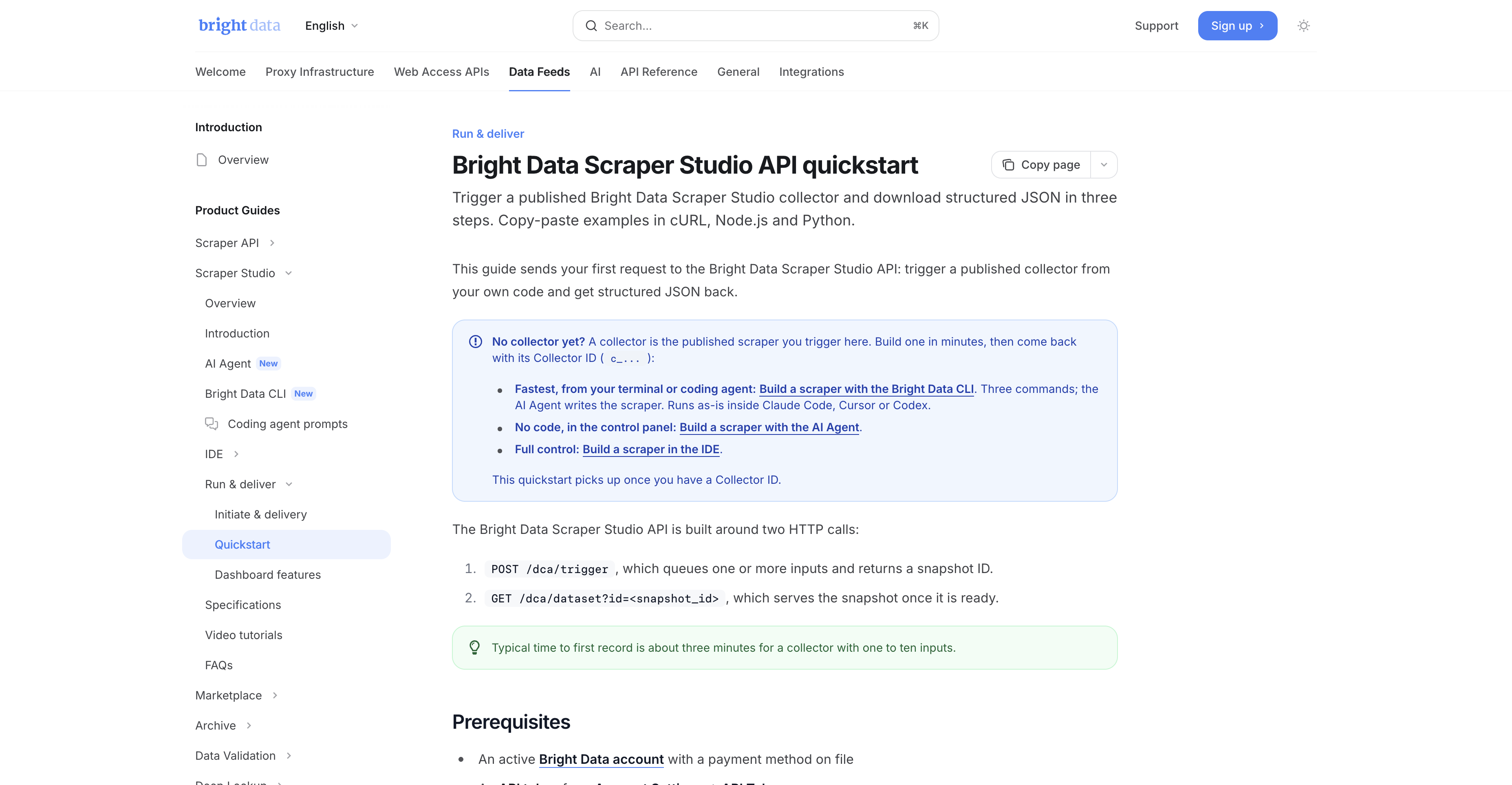
If Bright Data already supports the site, I start with the pre-built Web Scraper API. If the site is unsupported, I move to Scraper Studio. If the team does not want to build at all, I move to Bright Data's managed service.
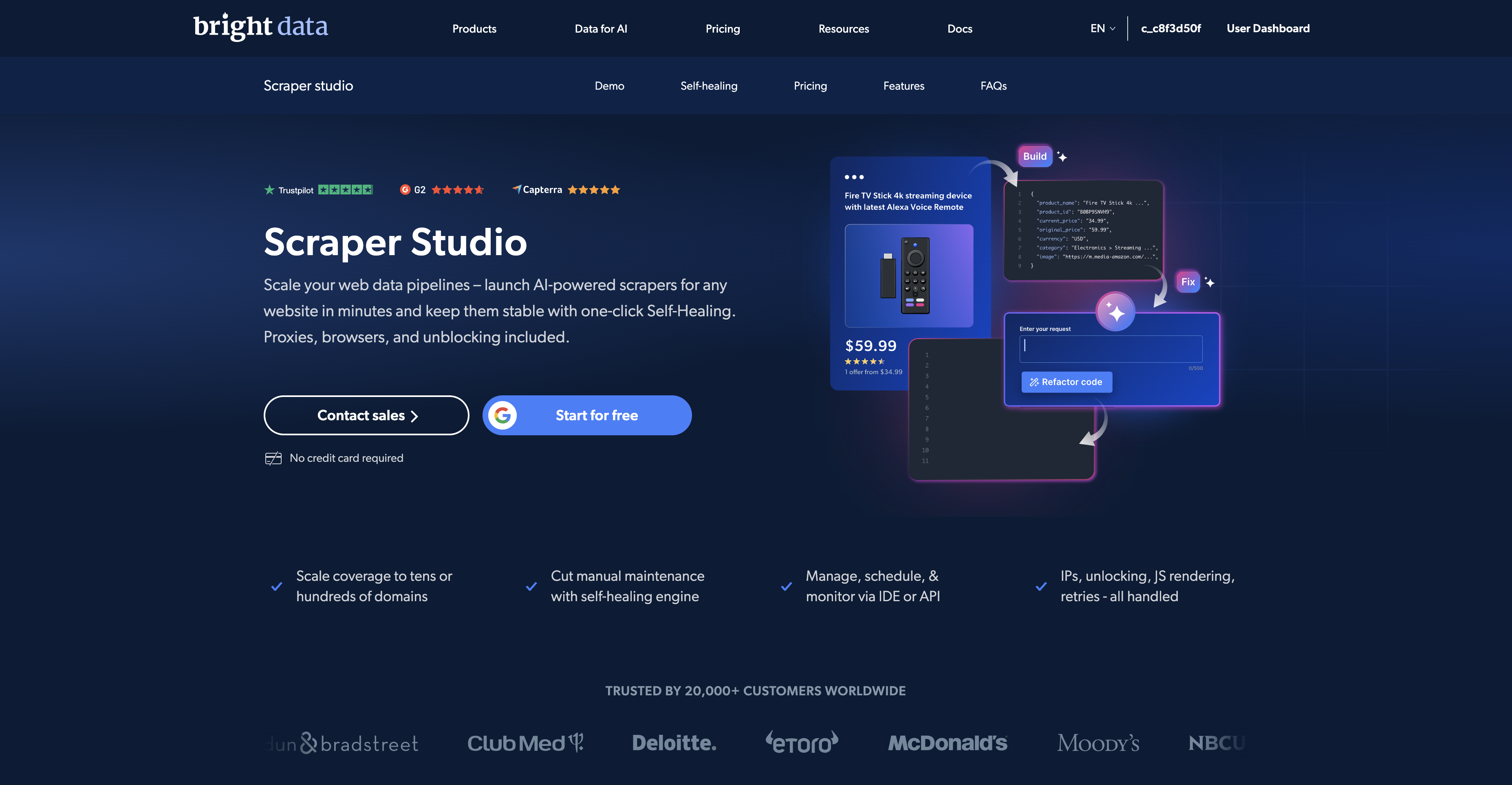
Bright Data's scraping stack is easier to buy once you stop treating every product like the same thing. On July 1, 2026, Bright Data's docs still position its Scrapers library as 700+ pre-built scrapers for popular sites, while Scraper Studio is the custom layer for sites that are not already covered.
That means the real decision is not “Which Bright Data scraper is best?” The real decision is which layer matches your target, your maintenance tolerance, and your team's willingness to build.
Current product data snapshot
| Verified July 1, 2026 fact | Why it matters in this decision |
|---|---|
| Bright Data docs still describe the supported scraper layer as 700+ pre-built scrapers | If the site is already covered, custom build should not be your first move. |
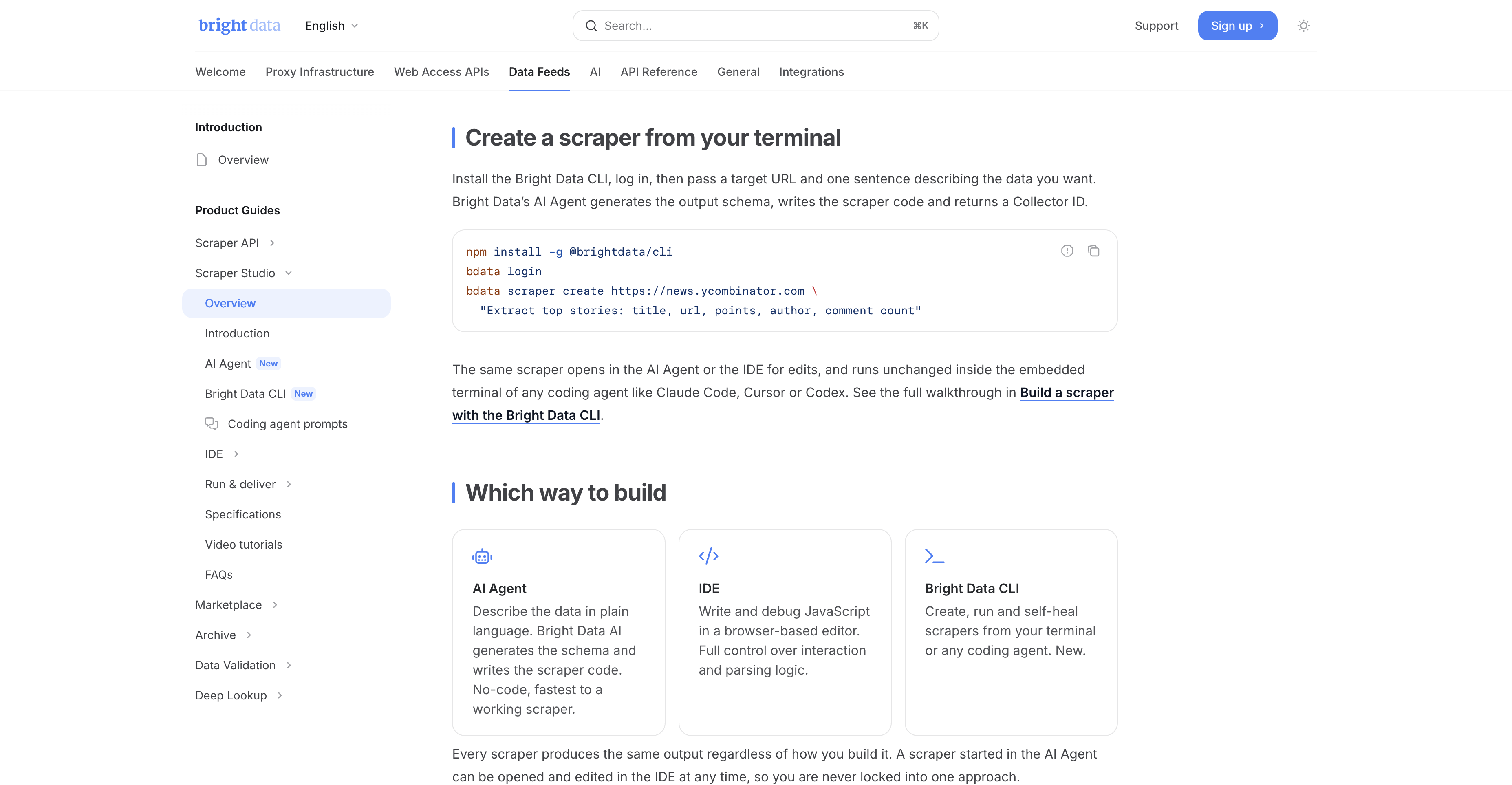
| Scraper Studio currently supports AI Agent, IDE, and Bright Data CLI | You can start with prompting, then move into code when the workflow needs more control. |
Official quickstart still documents bdata scraper create <url> "<what to extract>" |
Scraper Studio is not only a no-code dashboard product; it also fits coding-agent and terminal workflows. |
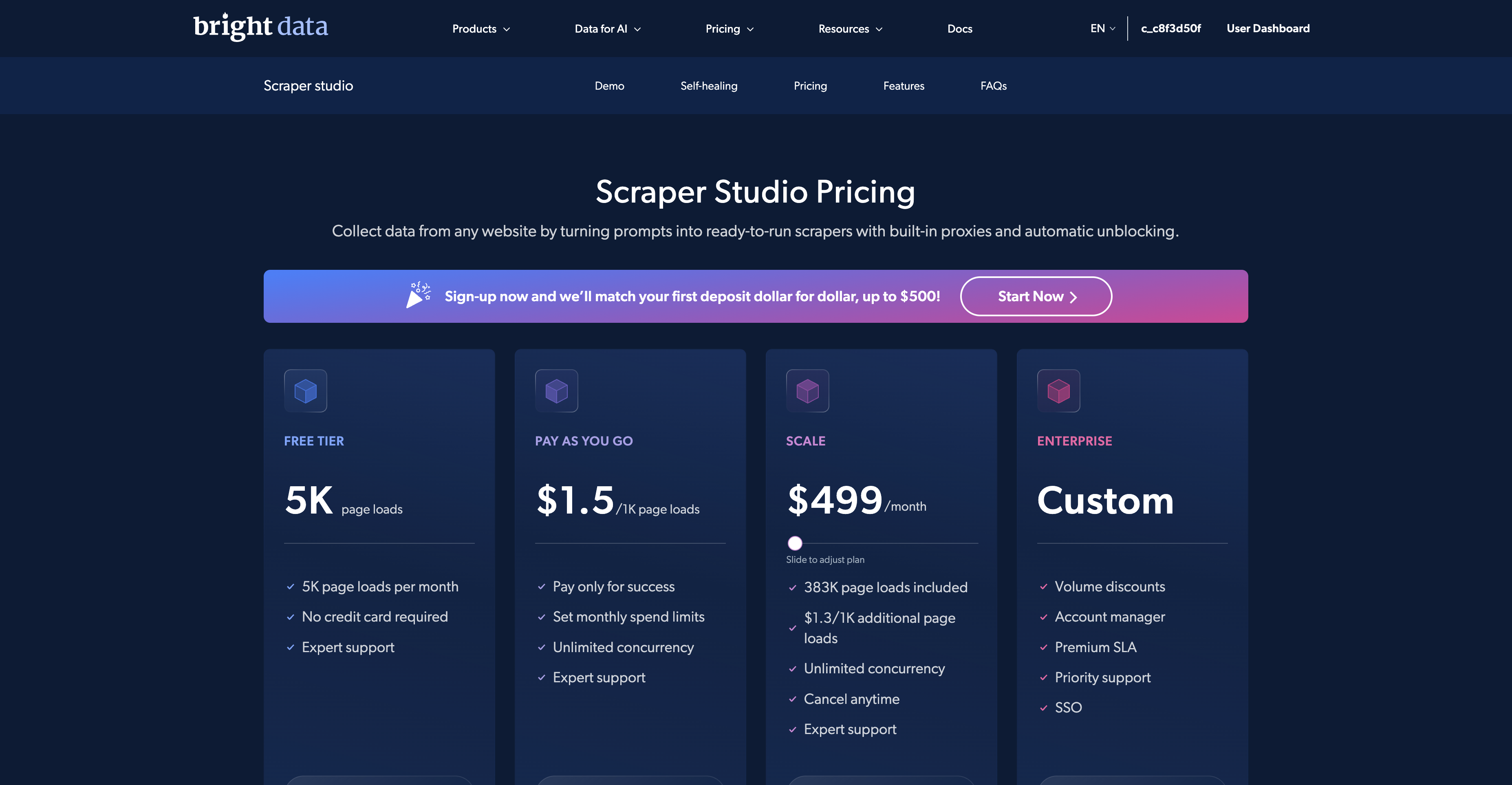
| Public Scraper Studio pricing shows 5K page loads in the free tier and $1.5 / 1K page loads PAYG | You can test unsupported-target workflows cheaply before you commit to a larger custom scraper rollout. |
| Bright Data's free-tier docs still say the monthly pool is 5,000 shared credits across Web Scraper API and Scraper Studio | The two products are related commercially, but they are still different operational products. |
My short answer
| Situation | I would start with | Why |
|---|---|---|
| A popular supported site such as LinkedIn, Amazon, Google Maps, or TikTok | Bright Data Web Scraper API | You get structured output fast without writing selectors, proxy logic, or retry handling. |
| An unsupported local, regional, or niche site | Bright Data Scraper Studio | You still own the scraper logic, but Bright Data hosts the browser, proxies, unblocking, and delivery workflow. |
| A team that does not want to build or maintain anything | Bright Data Managed Service | Bright Data's team defines, runs, monitors, and delivers the data for you. |
When I would use the Web Scraper API first
Free-tier note: Scraper Studio draws from Bright Data's 5,000-credit monthly web-data pool, and Studio runs consume one credit per page load.
The Web Scraper API is the fastest answer when the target is already in Bright Data's library. Bright Data's current docs keep describing that layer as a library of 700+ pre-built scrapers, which is exactly the sort of coverage that makes sense for recurring mainstream targets.
That is why pages like our LinkedIn lead-generation guide should still point buyers toward pre-built coverage first. For supported targets, the value is speed to structured data. You send a URL, Bright Data handles the unblocking and delivery, and you avoid building a separate scraper project for every mainstream domain.
- Use pre-built scrapers when the site is already supported and your real goal is structured output, not custom workflow design.
- Use pre-built scrapers when you want the shortest path from URL to JSON, CSV, or webhook delivery.
- Use pre-built scrapers when the target is popular enough that Bright Data already maintains the schema for you.
See the existing Web Scraper API guide if you are still evaluating supported-site tools in general.
How I make this decision in five minutes
If I were helping a team choose between Bright Data's supported scraper layer and Scraper Studio, I would not start from product marketing. I would start from the target list.
- List the actual domains that matter in the next 30 to 60 days.
- Split them into two groups:
- already-supported mainstream targets
- unsupported or uncertain targets
- Ask whether the buyer needs a reusable structured feed fast, or whether the buyer needs custom scraper ownership for a niche site.
- Ask whether anyone on the team really wants to own scraper maintenance, retries, browser execution, and unblocker behavior.
- If the answer to the last question is “no,” then the product decision usually becomes obvious.
This method sounds simple, but it prevents the common mistake: buying a custom scraper workflow for a site that already has mature pre-built support, or buying a pre-built workflow and then forcing it onto a niche target it was never meant to cover.
When Scraper Studio is the better product
Scraper Studio is the better choice when the target is not already in the library, but you still do not want to own the scraping infrastructure stack yourself.
Bright Data's docs currently describe Scraper Studio as the place to go when the data you need is not in the Scraper library, you want ownership of the scraper logic, and you do not want to manage proxies or infrastructure. That is the cleanest product boundary in Bright Data's current stack.
Scraper Studio also gives you three distinct build paths:
- AI Agent for fast prompt-based setup.
- IDE for direct JavaScript editing and debugging.
- Bright Data CLI for terminal-first workflows, including the documented
bdata scraper create <url> "<what to extract>"pattern.
The reason that matters is simple: you are not buying only “AI scraping.” You are buying a custom scraper lane that still runs on Bright Data's hosted browsers, proxies, unblocking, scheduling, monitoring, and delivery stack.
What the economics look like
For many teams, the hidden comparison is not only product against product. It is Bright Data product against internal maintenance cost.
If you already know the target is unsupported, the real alternative to Scraper Studio is often not another Bright Data SKU. It is a DIY stack built out of browser automation, proxy routing, retries, scheduling, and data delivery. That stack can work, but it also creates overhead that the pricing page does not show directly: debugging time, schema maintenance, change detection, anti-bot tuning, and incident handling when a target site shifts.
That is why the current Scraper Studio pricing matters beyond the raw number. A free tier of 5K page loads and PAYG at $1.5 per 1K page loads makes it cheap to validate whether the unsupported-target workflow is real before you commit to a larger engineering investment.
| If this is your real cost center | The better first product | Why |
|---|---|---|
| You mainly care about time-to-data on a supported site | Web Scraper API | The maintenance burden is already abstracted and the schema is already supported. |
| You mainly care about getting a custom public-web target into production without building infrastructure | Scraper Studio | The hosted stack removes a large share of the hidden engineering cost. |
| You mainly care about not owning any build work at all | Managed Service | The operational burden leaves your team entirely instead of moving around inside it. |
Where Managed Service fits
There is a third lane that many buyers forget: Bright Data's managed data collection service. That is the right fit when you do not want your team writing prompts, editing code, scheduling runs, or debugging scraper breakage at all.
Bright Data's own managed-service materials position that product as a fully managed solution where Bright Data handles sourcing, cleaning, and delivery. In other words, Scraper Studio is still a builder product. Managed Service is the “we will do it for you” product.
| Bright Data layer | Best fit | What you avoid |
|---|---|---|
| Web Scraper API | Supported mainstream targets | Writing and maintaining a custom scraper |
| Scraper Studio | Unsupported targets where you still want code ownership | Managing your own proxies, hosted browser stack, and unblockers |
| Managed Service | Hands-off teams or time-constrained operators | Owning the build and operations workflow at all |
Practical examples
Example 1: LinkedIn profile enrichment
LinkedIn is the classic pre-built-scraper case. It is a high-value, high-friction target that already has mature coverage inside Bright Data's supported product stack. Building a custom LinkedIn scraper from scratch is usually the wrong first move when a maintained supported path already exists.
Example 2: A niche local retailer
A regional store such as dm.de is where Scraper Studio becomes much more compelling. This is exactly the sort of site where you may need custom fields, local pricing logic, or a site-specific navigation flow that is too narrow to justify relying on a mainstream pre-built library entry.
If your real job is “track price, promo label, availability, and seller data from a niche retailer every morning,” Scraper Studio makes more sense than forcing everything into a supported-site mental model. That is also why I would pair this guide with the e-commerce price-monitoring playbook.
Example 3: A buyer with mixed targets
The hardest real-world case is not “all supported” or “all unsupported.” It is a mixed target list. Maybe the buyer wants LinkedIn and Amazon in one workflow, plus a local retailer, plus one industry directory. In that situation, I would not force everything into one product lane.
I would use the supported Bright Data scraper layer where coverage already exists, then reserve Scraper Studio for the small set of targets that genuinely require custom treatment. This is also the best way to control cost and maintenance. Use the maintained layer where you can. Use the custom layer only where it earns its keep.
When I would not use Scraper Studio
- I would not use Scraper Studio first for a site that Bright Data already supports cleanly through the pre-built library.
- I would not use Scraper Studio if the team wants a completely hands-off engagement. That is managed-service territory.
- I would not describe Scraper Studio as a universal login scraper. Bright Data's public product messaging still keeps it on publicly available data and not behind-login scraping.
The mistake I see most often
The most common mistake is confusing custom target coverage with custom infrastructure ownership. They are not the same thing.
A team may correctly conclude that the target is too niche for a pre-built scraper, then incorrectly conclude that it therefore needs to build everything itself. Scraper Studio exists precisely for that gap. It is the custom-coverage lane for teams that still want Bright Data handling the browser, proxy, retry, unblocking, and scheduling layer underneath the scraper.
The second common mistake is the opposite one: forcing a supported target into a custom workflow because “custom” feels more powerful. In practice, that usually just adds operational work where a maintained pre-built path would have been faster and cheaper.
Read the full Scraper Studio review if you are already at the commercial evaluation stage.
FAQ
Should I start with Scraper Studio for every new target?
No. If the target is already supported, the maintained scraper layer is usually the faster and lower-friction first choice.
When does managed service beat both products?
When the team does not want to own the scraper workflow at all. That is the point where the business outcome matters more than the build path.
Does the free tier make this decision easier?
Yes. The shared free-credit structure lowers the cost of testing whether the target fits the supported scraper layer or the custom Scraper Studio lane.
That is also why this decision page matters as a hub. Most buyers are not choosing one abstract product forever; they are choosing the right Bright Data layer for the next target and the next workflow.
Final verdict
The clean buying rule is straightforward. If the site is supported, use Bright Data's pre-built Web Scraper API. If the site is unsupported but you still want managed infrastructure, use Scraper Studio. If the team does not want to build at all, use Managed Service.
That three-layer story is much more useful than flattening every Bright Data product into one generic “web scraper” category.
Sources checked
- https://docs.brightdata.com/datasets/scrapers/overview
- https://docs.brightdata.com/datasets/scraper-studio/overview
- https://docs.brightdata.com/datasets/scraper-studio/introduction
- https://docs.brightdata.com/datasets/scraper-studio/quickstart
- https://docs.brightdata.com/general/account/billing-and-pricing/free-tier
- https://brightdata.com/products/web-scraper/studio
- https://brightdata.com/products/managed-service