If the site is a mainstream marketplace with existing support, I start with a pre-built scraper. If the site is a local or niche retailer, I move to Scraper Studio. If the team does not want to build the monitor at all, I escalate to managed service.
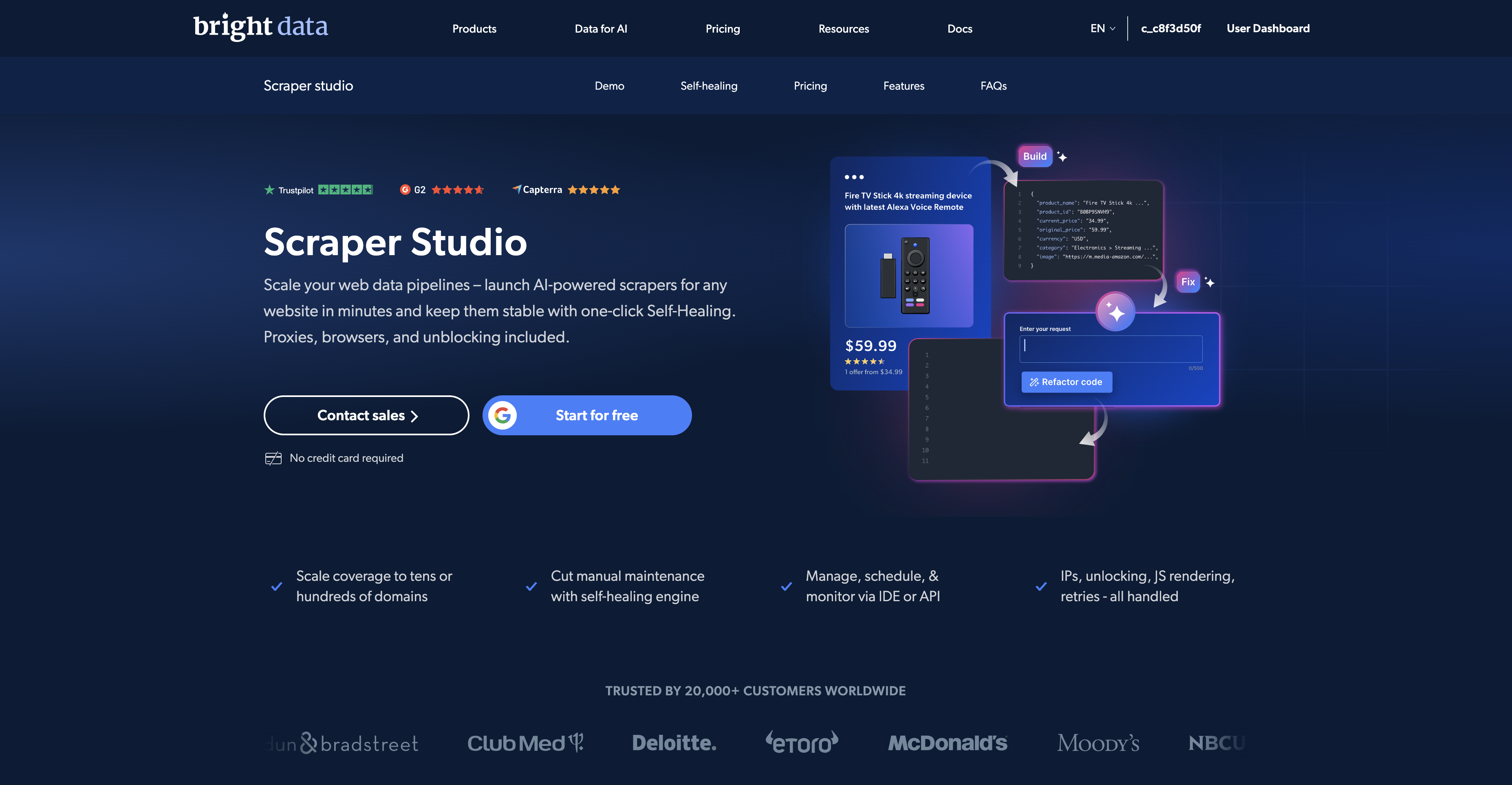
Retail price monitoring is where Bright Data's current product ladder becomes practical instead of theoretical. For mainstream targets such as Amazon, you should still check supported pre-built coverage first. But when the target is a local or regional store, the value of Scraper Studio becomes much easier to explain.
That is why I like dm.de as the example. It is public, retail-focused, and commercial enough to matter, but it is also exactly the sort of target where buyers often want custom fields, regional logic, or a local category flow rather than a generic marketplace extractor.
The product split I would use
| Target type | I would use | Why |
|---|---|---|
| Amazon, Walmart, or another mainstream supported platform | Pre-built Web Scraper API | It is the faster route when Bright Data already maintains the output schema and extraction workflow. |
| dm.de, a regional supermarket, or a niche vertical retailer | Scraper Studio | You can define a custom schema and run it on Bright Data infrastructure without building the whole browser and proxy stack yourself. |
| A commercial team that wants data but does not want to build | Managed Service | Bright Data's team owns the collection, monitoring, and delivery workflow end to end. |
What I would actually track
For a retail monitor, I would keep the schema simple before I make it clever. A useful first version usually includes:
- product title
- current price
- availability or stock status
- promo label or discount text
- seller or brand field if relevant
- product URL
- capture timestamp
That is enough to power most competitive-monitoring workflows before you add anything more advanced.
What a sensible first watchlist looks like
One mistake in retail monitoring is starting too wide. I would not begin with every product, every category, and every seller path on day one. I would begin with a small watchlist that forces clarity:
- 10 to 30 core SKUs that actually matter to the business
- 1 to 3 category pages that show merchandising and promo shifts
- at least one direct product-page URL per brand or competitor bucket
That scope is small enough to validate the output and schedule logic, but large enough to tell you whether the monitor is commercially useful. If the signal is weak at that level, scaling the scraper will not fix the underlying business case.
Why Scraper Studio fits this better than DIY glue code
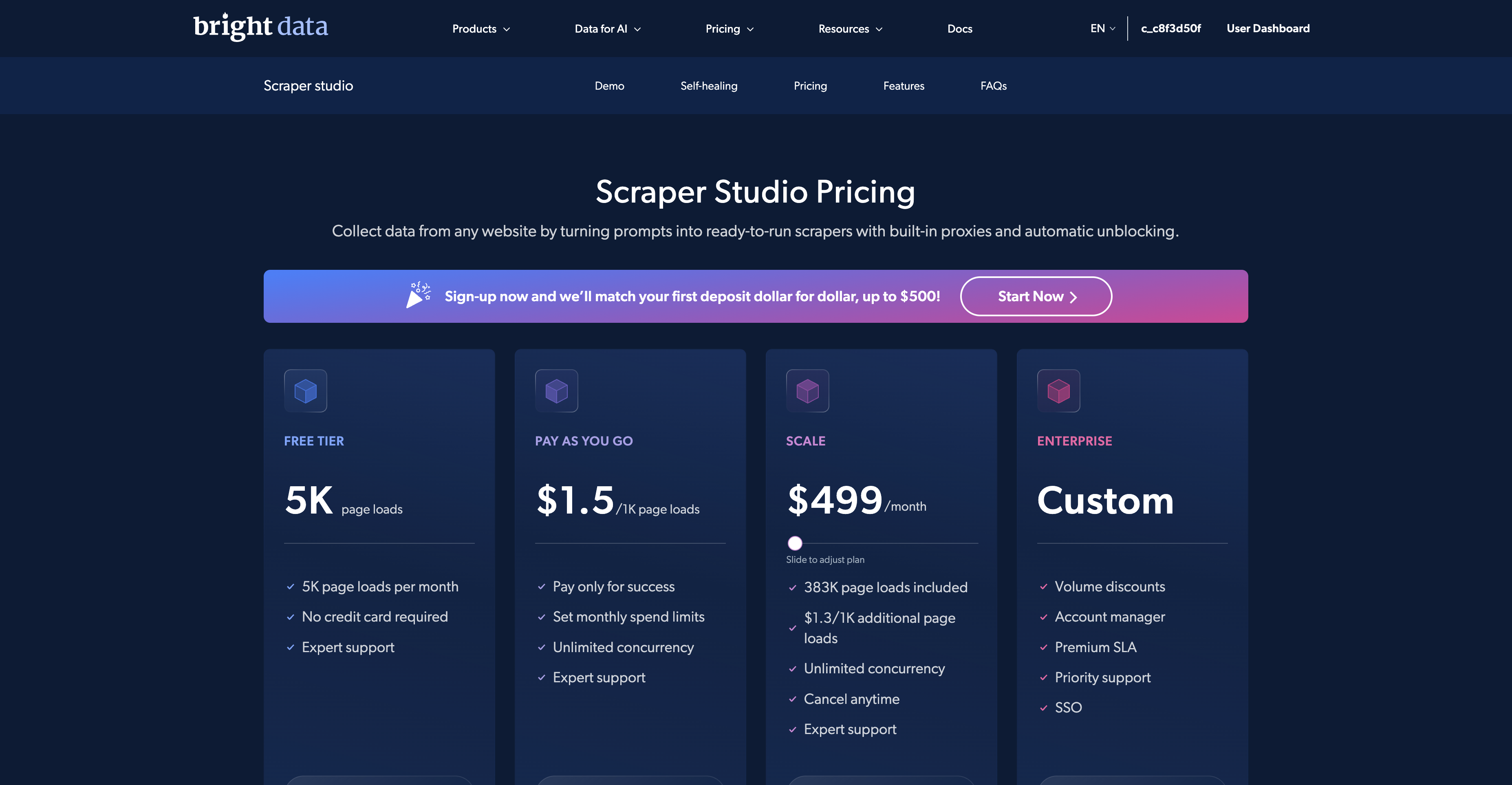
Free-tier note: Scraper Studio draws from Bright Data's 5,000-credit monthly web-data pool, and Studio runs consume one credit per page load.
Price monitoring sounds simple until you own it. Then you start owning page rendering, proxy routing, retries, CAPTCHAs, region selection, scheduling, schema changes, and alert delivery too.
Scraper Studio is appealing here because Bright Data's current materials keep emphasizing the parts teams usually do not want to own repeatedly: hosted proxies, automatic unblocking, browser execution, scheduling, monitoring, and self-healing when the page structure changes.
That makes the product more interesting for unsupported retail sites than for already-supported mainstream sites.
What it costs to validate the first monitor
You do not need to commit to a full custom-scraper estate on day one. Bright Data's current public Scraper Studio pricing still shows a 5K page loads free tier and $1.5 / 1K page loads PAYG, which is enough for a realistic proof-of-concept on a small watchlist.
That matters for regional retail monitoring because the first question is usually not scale. The first question is whether the target pages, fields, and schedule logic are stable enough to justify a recurring monitor.
For many teams, this is the key threshold. If you can validate the first monitor cheaply, you can decide later whether the watchlist deserves deeper rollout, more delivery destinations, or a managed-service handoff.
How I would build the first version
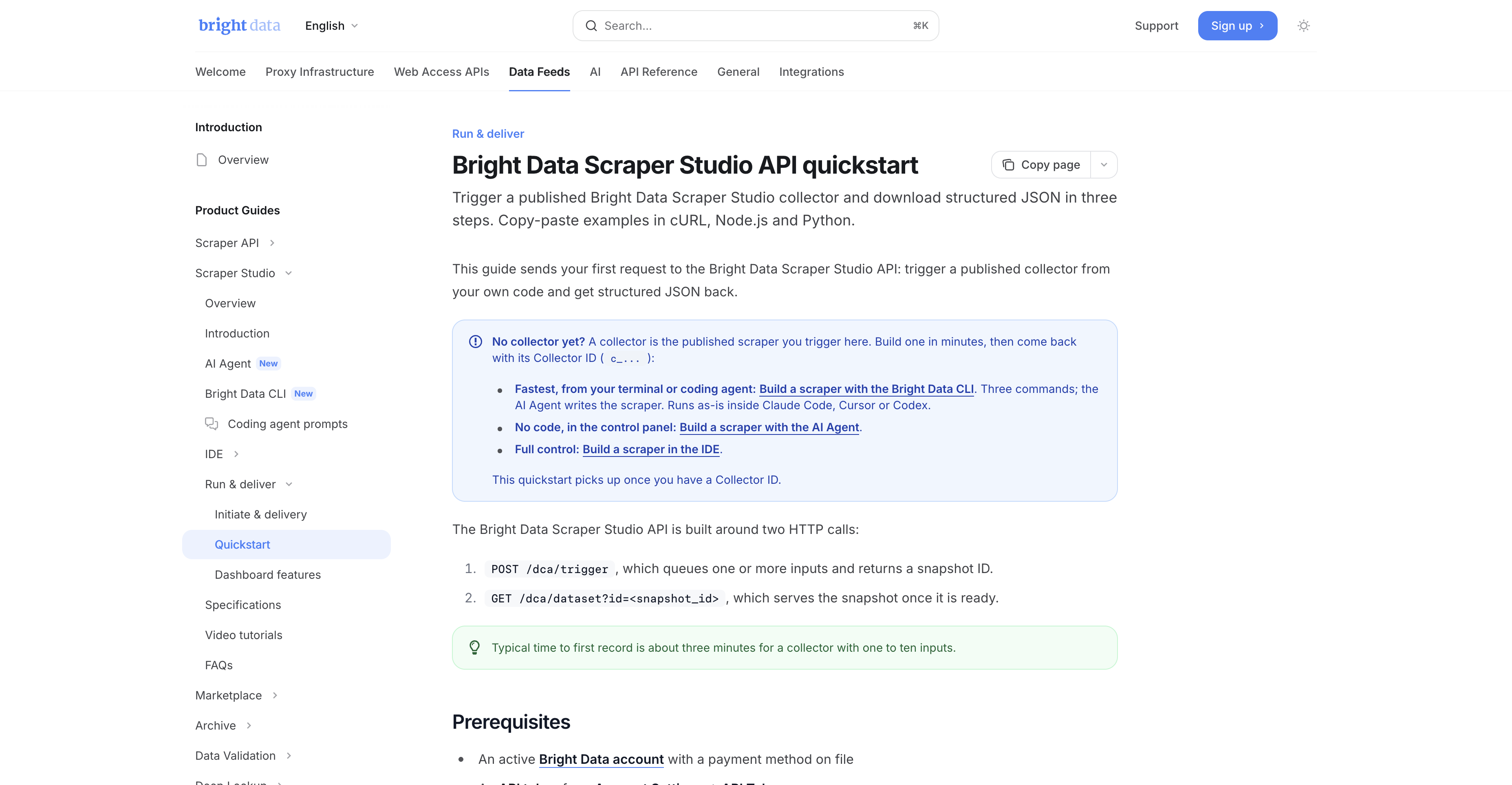
- Pick one product page and one category page from the target retailer.
- Define the output schema before you generate anything: title, price, availability, promo text, URL, timestamp.
- Create the scraper with Bright Data's AI Agent, IDE, or CLI. The documented CLI pattern is
bdata scraper create <url> "<what to extract>". - Run the scraper on a small set of URLs first and check whether the output is stable enough for comparison over time.
- Only after the schema is stable should you turn on recurring schedules or external delivery.
A dm.de-style example prompt could look like this:
bdata scraper create https://www.dm.de/ \
"Extract product title, current price, promo label, availability, seller or brand, and product URL"
That is not a promise that one prompt solves every page on the first try. It is a practical way to start the project on Bright Data's infrastructure instead of rebuilding the entire stack locally.
What I would do after the first successful run
Once the first output looks stable, I would not jump immediately to “done.” I would turn it into a repeatable monitoring workflow:
- decide the run cadence: daily, twice daily, or price-event driven
- save a normalized output schema so the monitor can be compared over time
- add a simple diff layer for price, stock, and promo label changes
- route the results to wherever the team already works: dashboards, internal sheets, warehouses, or alerting tools
The monitor is only useful if someone can act on it. Structured output matters, but operational delivery matters just as much.
Where I would send the data
The first destination does not need to be fancy. For many teams, a simple internal sheet, lightweight warehouse table, or operational dashboard is enough. The important thing is that each run lands in one stable place where price, stock, and promo changes can be compared over time without manual cleanup.
If the destination changes every week, the monitor becomes harder to trust. If the destination is stable from the beginning, the team can spend more time on actual price or merchandising decisions and less time on reconciliation work.
What I would alert on
Not every field deserves an alert. For a first retail monitor, I would usually alert only on:
- price drop or price increase beyond a threshold
- stock moving from in stock to unavailable
- promo label appearing or disappearing
- seller change on marketplaces or mixed-seller environments
If you alert on everything, the team stops trusting the monitor. A better first version is narrow, repeatable, and easy to read.
What the Apify Store evidence changes
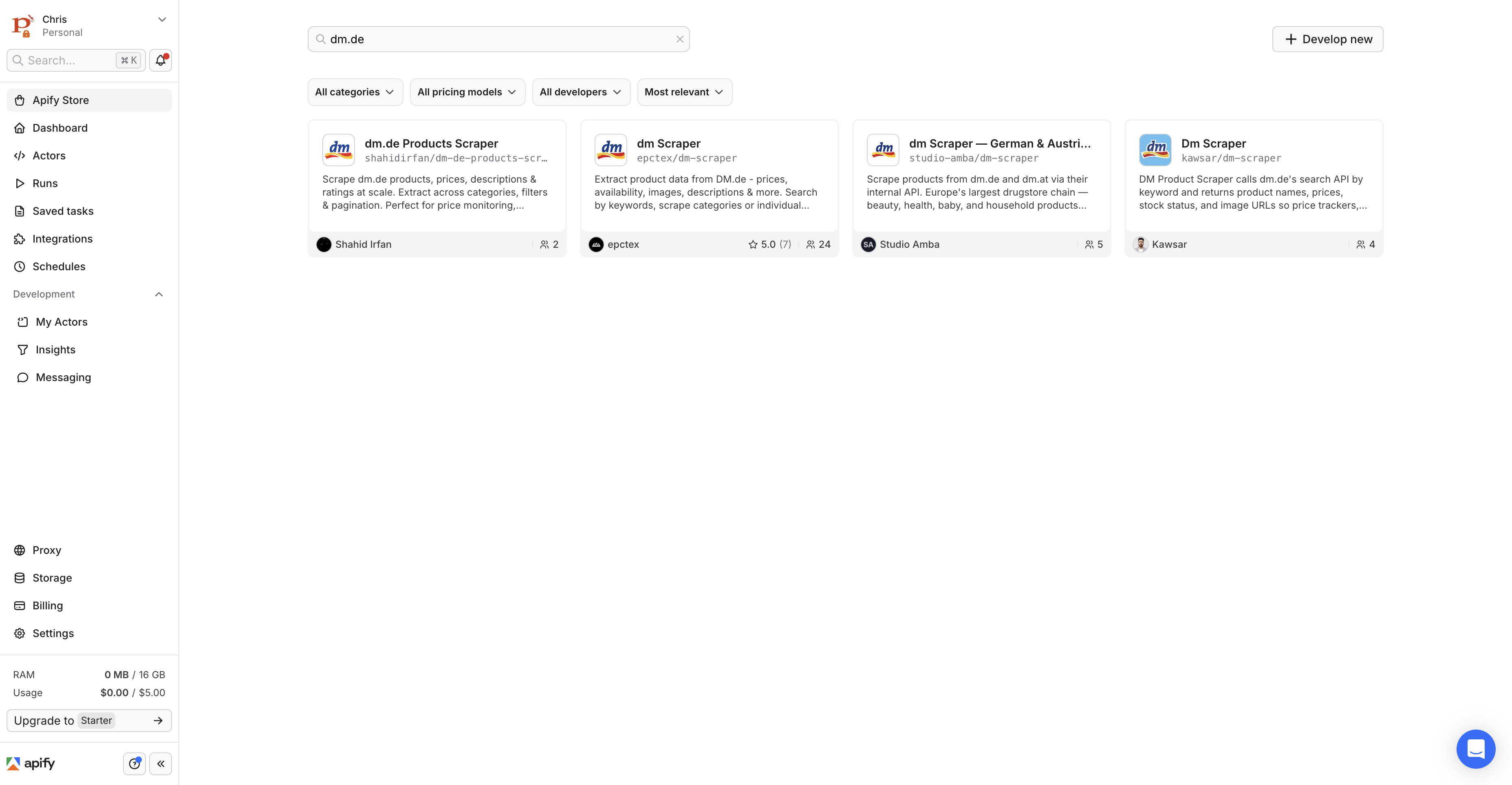
I also checked the live Apify Store on July 1, 2026. A search for dm.de returned multiple dm.de-specific actors, which reinforces Apify's marketplace strength for niche discovery.
That does not invalidate the Scraper Studio case. It just clarifies the difference. Apify is stronger when you want to search a marketplace of existing actors. Bright Data is stronger when you already know the target and want to build one custom monitor on hosted infrastructure with a clearer maintenance story.
So the decision is not “which tool is more powerful in the abstract?” The decision is whether the buyer prefers marketplace discovery first or provider-managed execution first. For niche retail monitoring, those are meaningfully different buying paths.
What success looks like after 30 days
After the first month, I would expect the team to know four things clearly:
- whether the watchlist is commercially useful
- whether the chosen fields are enough for pricing decisions
- whether the run cadence is too frequent, too slow, or about right
- whether the monitor should stay self-managed or move toward a managed-service handoff
If the team still cannot answer those questions after a month, the problem is usually not the scraper itself. It is that the business logic of the monitor was never scoped tightly enough in the first place.
What I would use instead in other retail scenarios
I would not force every retail problem into Scraper Studio.
- For Amazon, Walmart, or another strongly supported mainstream platform, I would still check the maintained scraper layer first.
- For a team that wants zero build work and only a delivered business result, I would escalate to managed service.
- For a team that wants to search a marketplace for source-specific tools before standardizing on one provider, I would still consider Apify's actor discovery model.
This article is really about the middle case: the buyer already knows the target is valuable, the data is public, the target is not the easiest supported mainstream path, and the team wants a custom monitor without owning every technical layer underneath it.
When I would not use Scraper Studio for this
- I would not use Scraper Studio first if the retailer already has strong pre-built support through Bright Data's existing scraper library.
- I would not use it if the team expects a totally hands-off service. That is a managed-service problem, not a builder-product problem.
- I would not turn this into a behind-login scraping workflow. Keep the project on publicly available retail data.
Common mistake in price-monitoring projects
The common mistake is treating the scraper like the project. It is not. The project is the pricing workflow around the scraper: what pages matter, what fields matter, what changes trigger attention, and where the output goes once you have it.
That is why I think Scraper Studio can be a good fit here. It lets the team spend more time deciding the business logic of the monitor and less time rebuilding browser, proxy, and unblocker plumbing for every unsupported retail target.
FAQ
Should I use Scraper Studio for Amazon price monitoring?
Usually not first. If Amazon is already supported in Bright Data's maintained scraper stack, I would start there before opening a custom Scraper Studio workflow.
Is Scraper Studio only for developers?
Not only, but it still helps to have someone who can think clearly about schema design, delivery, and recurring workflow ownership. It is easier than full DIY, not magic.
When should I move from Scraper Studio to managed service?
When the business wants the data outcome but no longer wants to own even the custom monitor workflow itself. That is the clean handoff point.
What is the real first milestone for this kind of project?
Not “the scraper ran once,” but “the team can compare repeated structured outputs and make a pricing or assortment decision from them.” That is the milestone that tells me the monitor is real.
That is the standard I would use before scaling the watchlist. If the monitor cannot support a real pricing or merchandising decision, it is still only a scraper experiment.
That buyer test sounds basic, but it is exactly what separates a useful monitor from a technically impressive but commercially empty crawl.
See the existing Bright Data e-commerce monitoring guide for the broader Bright Data retail context, then use the Web Scraper API vs Scraper Studio comparison to decide whether the target deserves a custom build.
Final verdict
For e-commerce price monitoring, the best Bright Data product is not always the same. Use the pre-built scraper layer for mainstream supported platforms. Use Scraper Studio for public-web local and niche retailers where custom coverage matters. Use Managed Service when the business wants the data outcome without owning the build workflow.
That is the practical split that makes Bright Data's current scraping story much easier to understand.
If I had to summarize the buying logic in one line, it would be this: use Scraper Studio when the retailer is valuable enough to justify custom coverage, but not valuable enough to justify rebuilding an entire scraping infrastructure stack from scratch.
Sources checked
- https://docs.brightdata.com/datasets/scraper-studio/overview
- https://docs.brightdata.com/datasets/scraper-studio/quickstart
- https://docs.brightdata.com/datasets/scraper-studio/faqs
- https://docs.brightdata.com/general/account/billing-and-pricing/free-tier
- https://brightdata.com/products/web-scraper/studio
- https://console.apify.com/store-search?search=dm.de
- https://console.apify.com/store-search?category=ECOMMERCE