When I hear that Vertex JSON login is a login problem, I slow down. Most of the time it is really a JSON import, ADC resolution, or project-scope problem with a route question layered on top.
Recommendation: I use proxies on Vertex JSON login only when they answer a narrow QA question: session stability, route separation, regional observation, or cleaner troubleshooting. I do not use them to imply entitlement, billing success, or policy bypass.
Current platform boundary I start from
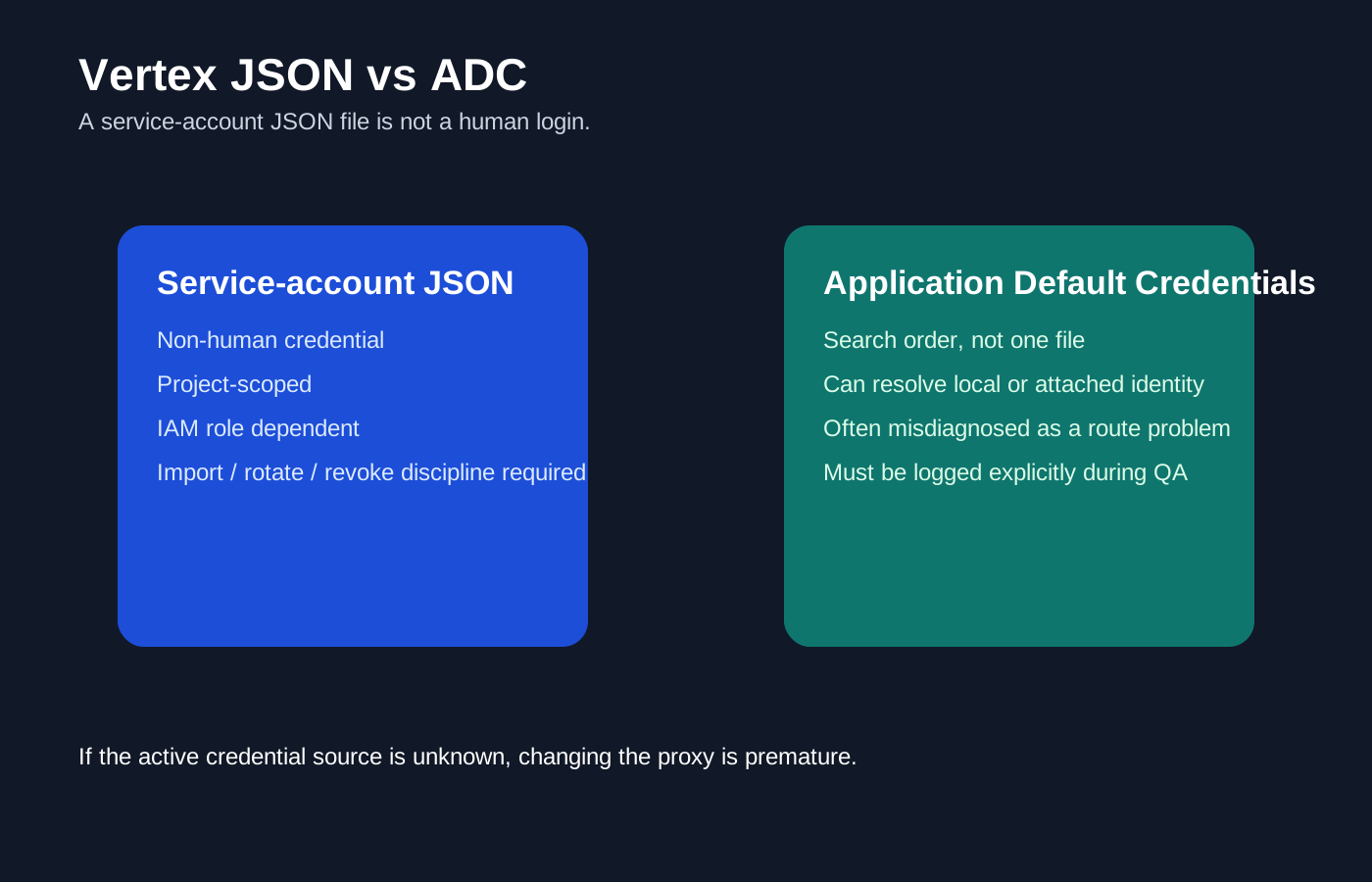
Searchers often say “Vertex JSON login” when they really mean project-scoped service-account JSON or ADC credential loading.
My working read on this surface
This keyword exists because operators, bloggers, and gateway tools often use lazy language. They say ‘Vertex JSON login' when the real task is ADC resolution, service-account JSON import, or project-scoped service credentials. Those are not the same thing as a human login flow.
What usually changes the result before the proxy does
The common mistake is assuming a service-account JSON key is just another way to log into Vertex. It is not. It is a non-human credential with its own scope, IAM rules, and operational risk.
What breaks in practice first
- The team debugs a service-account JSON import like a browser login problem and wastes time changing routes instead of validating credential scope.
- ADC silently resolves a different credential source than the imported JSON the operator thinks is active.
- The credential is valid, but the project, IAM role, or location binding is wrong, so the route gets blamed for a project-scoping failure.
What I use the route to observe
- keep service-account or ADC testing project-scoped and reproducible
- verify which credential source is active before debugging model access
- avoid mixing imported JSON credentials with unrelated local auth caches
What I will not promise from a proxy
- They cannot secure a service-account JSON file if you store it in the repo or over-share it.
- They cannot grant missing IAM roles or correct a mis-scoped project automatically.
- They cannot turn a service-account key into a consumer login flow.
My observation vs claim-to-avoid matrix
| Scenario | Proxy type I prefer | What I am actually observing | Claim I avoid |
|---|---|---|---|
| Vertex JSON login import UI | Sticky residential or ISP | Whether the admin flow behaves cleanly when one credential and one project are in scope | That the route can secure or validate the credential itself |
| ADC lookup path | Direct or stable datacenter | Which credential source the runtime is actually resolving | That a new IP changes local credential resolution |
| Project mapping and scope | Stable residential or datacenter | Whether the imported or discovered credential points to the intended project | That successful import equals correct scope |
| Region-aware admin QA | Country-specific residential | Whether the admin surface or helper docs vary by region | That region QA fixes IAM or scope problems |
When I would use a proxy here
- You need a clean admin or import session while validating credential source and project scope.
- You need regional QA around the admin UI, not just local credential loading.
When I would not buy one yet
- You still cannot explain whether the system is supposed to use browser login, ADC, or a service-account JSON file.
- You have not yet verified which credential source is actually active at runtime.
My practical QA workflow
- Confirm whether the system should use service-account JSON, ADC, workload identity, or a human browser login.
- Trace which credential source is actually active before you change the network path.
- Use one stable route for admin or import steps so project mapping and UI behavior stay attributable.
- After that, test region-sensitive UI or relay behavior only if the credential path itself is already understood.
Provider shortlist I would start with
| Provider | Best fit for this page | Why I would start here |
|---|---|---|
| Bright Data | Best when Vertex JSON login work includes credential-import UI, project-scoped admin access, or region-sensitive debugging around cloud setup. | Best overall for production AI workflows, geo QA, and public-web access layers. |
| Proxy-Seller | Useful when Vertex JSON login work needs stable import or admin sessions with lower cost than a broader managed stack. | Strong self-serve option for dedicated or sticky session control at a lower cost. |
| IPRoyal | Useful for lighter Vertex JSON login admin or import tests when the real work stays project-scoped and small. | Good budget pick for smaller sticky residential or ISP-style session workflows. |
What I log before I change anything
- Credential source actually resolved
- Target project
- IAM or scope assumptions
- Whether the flow was import UI, local ADC, or relay-managed
Related AI proxy pages
- AI Proxies
- Best AI Proxy Providers for 2026
- Vertex AI Proxies for 2026
- Google AI Studio Proxies for 2026
- Vertex Credential Import for 2026
FAQ
Do I need a proxy for Vertex JSON login?
Sometimes. The bigger issue is usually auth source, project scope, or IAM. The proxy mainly helps with session isolation and regional QA.
Should I store credentials in the repo?
No. Keep service-account JSON files outside the repo and rotate them when they are no longer required.
What breaks more often than the proxy route?
Wrong project IDs, wrong region, expired keys, missing API enablement, and missing IAM permissions.
Sources checked
- https://cloud.google.com/docs/authentication/application-default-credentials
- https://cloud.google.com/vertex-ai/generative-ai/docs/start
- https://help.router-for.me/cn/management/api.html
Final verdict
I use proxies on Vertex JSON login once the underlying surface is clear and the observation goal is narrow. The route can help me isolate state, compare markets, and keep QA repeatable, but it is not a substitute for real entitlements, clean auth, or correct project setup.