When Gemini API keys fails, I check project, region, IAM, and credential source before I blame the network path.
Recommendation: I use proxies on Gemini API keys only when they answer a narrow QA question: session stability, route separation, regional observation, or cleaner troubleshooting. I do not use them to imply entitlement, billing success, or policy bypass.
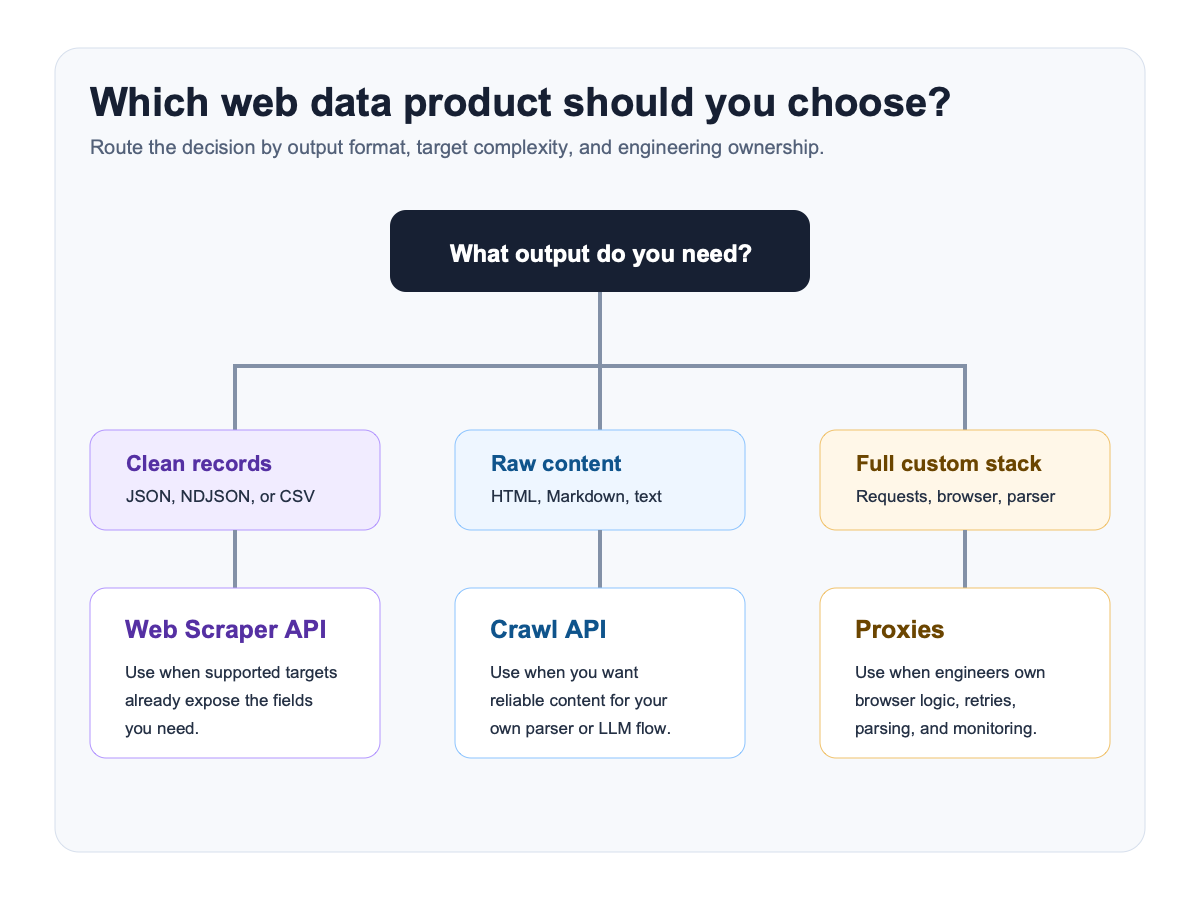
Current platform boundary I start from
Gemini API keys usually come from Google AI Studio and behave differently from Google-login or Vertex-backed enterprise flows.
My working read on this surface
The information gap with Gemini API keys is that people often mix a consumer Google login story with a project-key story. Once the workflow is key-based, the proxy question is narrower: route observation, project separation, and country QA around the developer surface.
What usually changes the result before the proxy does
The common mistake is assuming a Gemini API key behaves like a browser account session. It does not. Once you are key-based, project ownership and where that key is used matter more than browser identity.
What breaks in practice first
- The wrong key is copied into the environment and the route gets blamed for a project-key mismatch.
- A key-based path is debugged like a browser-login path, which sends the operator hunting for the wrong failure signals.
- Regional observations are over-interpreted even though the key behavior is mostly project-scoped and not account-session scoped.
What I use the route to observe
- keep project, region, and identity tests separate during cloud QA
- verify dashboard, API key, and project behavior from the intended route
- avoid blending enterprise projects, consumer accounts, and cached credentials
What I will not promise from a proxy
- They cannot replace IAM roles, enabled APIs, or project-level permissions.
- They cannot fix a wrong region, wrong project, or organization policy restriction on their own.
- They cannot make consumer login shortcuts equivalent to service-account or enterprise auth.
My observation vs claim-to-avoid matrix
| Scenario | Proxy type I prefer | What I am actually observing | Claim I avoid |
|---|---|---|---|
| Gemini API keys console session | Sticky residential or ISP | Whether the admin console behaves consistently once project and IAM are fixed | That the route can replace project or IAM work |
| API key or lightweight endpoint checks | Datacenter | Whether the endpoint itself is reachable and attributable | That reachability proves the cloud project is configured correctly |
| Project and region QA | Country-specific residential | Whether a region-specific console or product surface is being shown | That one region result explains every project failure |
| Consumer vs enterprise separation | One route per identity | Whether the operator is mixing AI Studio style access with enterprise project behavior | That overlapping model brands imply the same auth surface |
When I would use a proxy here
- You need region-aware QA around console access, project behavior, or cloud endpoints.
- You need to isolate one cloud project or admin session from another route or org context.
When I would not buy one yet
- You have not confirmed project ID, IAM, enabled APIs, and region before touching the route.
My practical QA workflow
- Write down project, location, enabled APIs, and the credential source the tool is supposed to use.
- Verify direct project access first before switching routes.
- Use one stable route when testing admin consoles or project dashboards so cloud context stays attributable.
- Only then compare region behavior, consumer account behavior, and enterprise project behavior separately.
Provider shortlist I would start with
| Provider | Best fit for this page | Why I would start here |
|---|---|---|
| Bright Data | Best when Gemini API keys testing mixes project isolation, region checks, admin-console access, and occasional browser or data-layer escalation. | Best overall for production AI workflows, geo QA, and public-web access layers. |
| Proxy-Seller | Useful when Gemini API keys work is mostly admin-console or project-session stability instead of broad regional rotation. | Strong self-serve option for dedicated or sticky session control at a lower cost. |
| IPRoyal | Useful for smaller Gemini API keys checks when you mainly want route separation and not a full managed browser stack. | Good budget pick for smaller sticky residential or ISP-style session workflows. |
What I log before I change anything
- Project ID
- Location
- Credential source
- Console vs API path
Related AI proxy pages
- AI Proxies
- Best AI Proxy Providers for 2026
- Google AI Studio Proxies for 2026
- Vertex AI Proxies for 2026
- Gemini CLI Proxies for 2026
FAQ
Do I actually need a proxy for Gemini API keys?
Only when you need network separation, country-specific QA, gateway routing, or a more stable browser or CLI session than your default path provides.
Which proxy type is the safest default for Gemini API keys?
For account or CLI sessions, sticky ISP or static residential is usually the safest default. For broader country QA, rotating residential is more flexible.
What cannot be fixed by a proxy on Gemini API keys?
Expired credentials, unsupported countries, missing entitlements, bad project settings, and broken gateway logic are all outside the proxy's control.
Sources checked
- https://ai.google.dev/gemini-api/docs/api-key
- https://google-gemini.github.io/gemini-cli/docs/get-started/authentication.html
- https://cloud.google.com/docs/authentication/application-default-credentials
- https://cloud.google.com/vertex-ai/generative-ai/docs/start
Final verdict
I use proxies on Gemini API keys once the underlying surface is clear and the observation goal is narrow. The route can help me isolate state, compare markets, and keep QA repeatable, but it is not a substitute for real entitlements, clean auth, or correct project setup.