Building your first AI dataset might seem daunting, but you’re not alone—we’ll guide you through each stage, one step at a time. In this comprehensive tutorial, you’ll learn how to use the Bright Data scraping API to gather raw data and transform it into a clean, production-ready dataset perfectly suited for your machine learning models.

2026 refresh: close the information gap first
The 2026 information gap here is that many buyers still pay for raw IPs when the missing layer is actually rendering, search retrieval, unblocker logic, or structured extraction.
What I use this page to decide now
- whether the target is stable enough for a scraper API
- whether JavaScript, cookies, or click paths force a browser layer
- whether search acquisition should be treated as its own product surface
- whether the workflow should move to a dataset or managed collection instead of DIY scraping
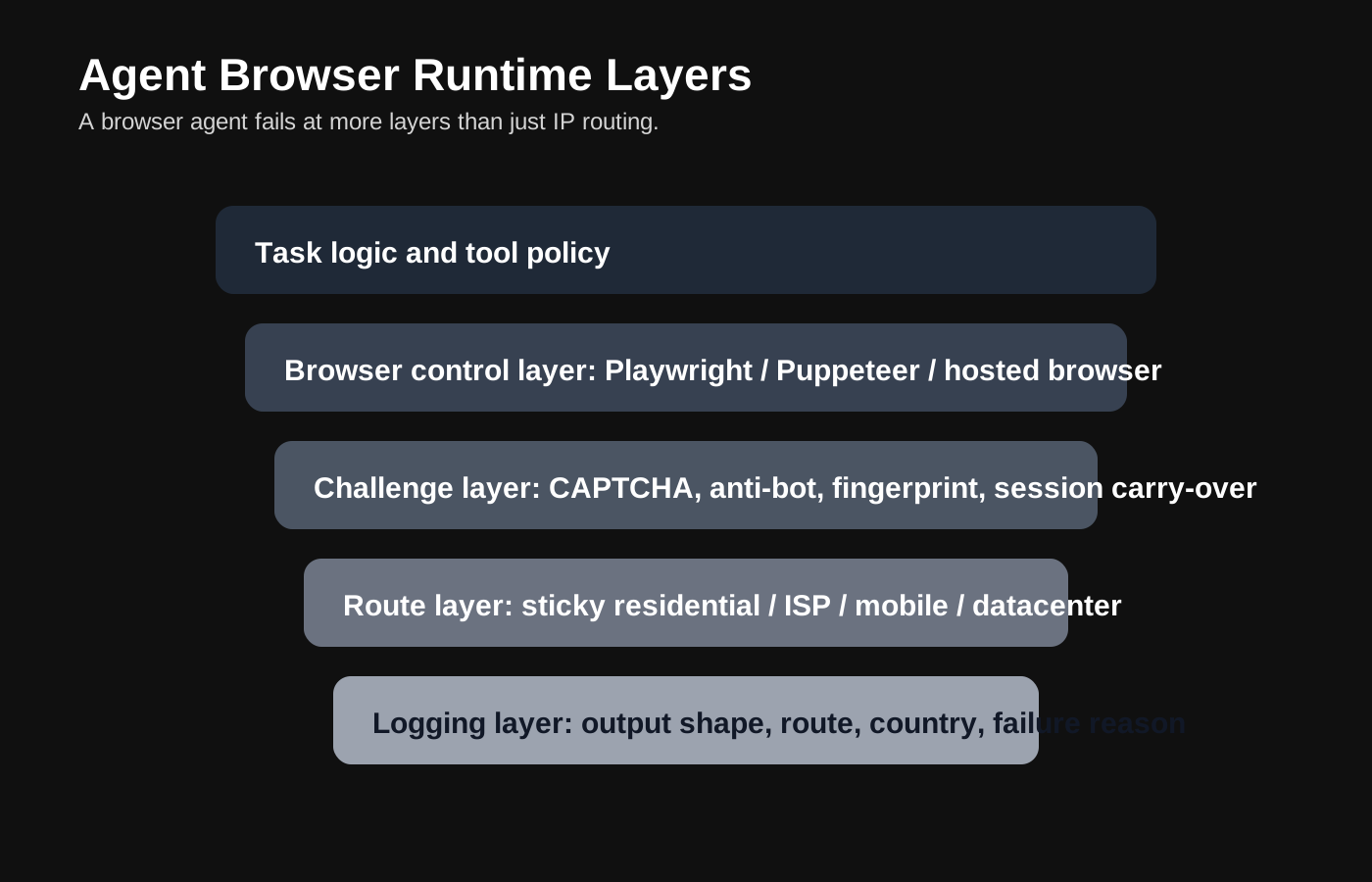
Access-layer decision matrix
| Task | I start with | Why | What I avoid claiming |
|---|---|---|---|
| Structured extraction from stable targets | Scraper API | It shortens the path from fetch to usable JSON or Markdown | That raw proxies are automatically the most efficient layer |
| Rendered or multi-step flows | Managed browser | It handles JS execution, cookies, and workflow state cleanly | That one browser run proves the whole route is production-ready |
| Search acquisition | SERP API | It treats search like its own retrieval surface instead of another page-fetch problem | That a normal proxy list replaces a search product |
| Aggressive anti-bot targets | Unlocker or browser-grade stack | It addresses the anti-bot layer directly | That more IPs alone fix challenge-heavy sites |
What I would buy first
| What the workflow needs | I start here | Why |
|---|---|---|
| JSON or Markdown from a stable public target | Scraper API | It shortens time-to-usable-data and reduces custom parsing work. |
| Rendered pages, clicks, and cookie state | Managed browser | It keeps the browser problem explicit instead of hidden inside retries. |
| Search results as the real acquisition surface | SERP API | It keeps search retrieval separate from general page collection. |
| Constant anti-bot friction | Unlocker or managed browser layer | It attacks the anti-bot layer directly instead of treating everything as an IP problem. |
What I will not promise
- Do not describe a scraper API as a universal substitute for browser automation or unlocker tooling.
- Do not treat one successful extraction as proof that cost, freshness, and maintenance are solved.
- Do not frame public-web collection as policy-free just because the route worked once.
Compare AI scraper access layers
Building high-quality AI datasets is the foundation of successful machine learning projects. This comprehensive guide provides beginners with a step-by-step approach to creating robust datasets from scratch. We cover essential methodologies including modern data collection techniques (API-based ingestion, web scraping), advanced preprocessing strategie?utm_content=building-your-first-ai-datasets, quality annotation practices, and scalable storage solutions.
Why Dataset Quality Matters
In today’s data-driven AI landscape, the quality of your dataset is the cornerstone of model success. Data is often called the “fuel” of AI—and just like any engine, the quality of this fuel directly determines your system’s performance, accuracy, and reliability.
The Benefits of High-Quality Datasets
Robust, well-curated datasets empower AI models to:
- Learn meaningful patterns that generalize effectively to new, unseen data
- Minimize bias, reducing the risk of unfair or inaccurate predictions
- Deliver precise, actionable results that drive real business value
- Maintain consistency across different environments and deployments
Key Dimensions of Data Quality
According to industry best practices and research, high-quality datasets share several crucial attributes:
| Quality Dimension | Description | Impact on AI Models |
|---|---|---|
| Accuracy | Data reflects true, correct values | Prevents learning of incorrect or misleading patterns |
| Completeness | All required fields are populated | Enables comprehensive feature learning |
| Consistency | Uniform formatting and standards | Reduces noise, improves training stability |
| Relevance | Data aligns with project objectives | Ensures models learn task-specific information |
| Timeliness | Data reflects current conditions | Maintains model performance as environments evolve |
The Cost of Poor Data Quality
Studies show that data scientists spend up to 80% of their time preparing and cleaning data. Poor-quality datasets can result in:
- Longer development cycles due to repeated debugging and retraining
- Lower model accuracy and unreliable predictions
- Biased outcomes that damage user trust and business reputation
- Wasted resources spent training on flawed or irrelevant data
Investing in dataset quality isn’t just best practice—it’s essential for building AI systems that are accurate, fair, and dependable.
Building Your First AI Dataset with Bright Data Scraping API
Free-tier note: For AI data workflows, Bright Data's monthly credits are best framed as a scoped web-data test pool for Web Unlocker, SERP API, Web Scraper API, and Scraper Studio; proxy products and Browser API are separate.
Data collection forms the bedrock of any high-quality dataset. The sources you tap into and the techniques you employ have a direct impact on the dataset’s accuracy, diversity, and overall reliability. Modern platforms make this process even more efficient by offering structured data access via APIs. In this section, we'll walk through a practical example of building an AI dataset using data from Amazon’s bestselling books.
Phase 1: Project Setup and Data Collection

In this phase we set up our project and collect raw book data from various categories using the Bright Data Scraping API. The code below initializes our dataset builder and gathers data for selected book categories:
import requests
import pandas as pd
import sqlite3
from datetime import datetime
import time
import json

class AmazonBooksDatasetBuilder:
def __init__(self, api_token):
self.api_token = api_token
self.base_url = "https://api.brightdata.com"
self.headers = {
"Authorization": f"Bearer {api_token}",
"Content-Type": "application/json"
}
self.raw_data = []
self.processed_data = None

def collect_data(self, categories, max_retries=3):
"""Collect data from multiple book categories"""
print("Starting data collection...")

for category in categories:
print(f"Collecting data for category: {category}")

payload = {
"dataset": "amazon_bestsellers",
"format": "json",
"country": "US",
"category": category,
"limit": 1000
}

for attempt in range(max_retries):
try:
response = requests.post(
f"{self.base_url}/datasets/v3/trigger",
headers=self.headers,
json=payload,
timeout=30
)

if response.status_code == 200:
data = response.json()
category_data = data.get('results', [])

# Add category information to each record
for item in category_data:
item['category'] = category
item['collection_timestamp'] = datetime.now().isoformat()

self.raw_data.extend(category_data)
print(f"Collected {len(category_data)} items from {category}")
break
else:
print(f"Error {response.status_code}: {response.text}")

except Exception as e:
print(f"Attempt {attempt + 1} failed: {e}")
if attempt < max_retries - 1:
time.sleep(2 ** attempt) # Exponential backoff

# Rate limiting
time.sleep(2)

print(f"Total raw data collected: {len(self.raw_data)} items")
return self.raw_data

# Example usage:
# builder = AmazonBooksDatasetBuilder("your_api_token_here")
# categories = ["fiction", "science", "business", "self-help"]
# raw_data = builder.collect_data(categories)
Phase 2: Data Preprocessing and Cleaning

After data collection, we preprocess the raw data to prepare it for machine learning. This includes converting the raw data into a DataFrame, cleaning duplicates, handling missing values, converting data types, and transforming raw fields into useful features. For example, we assign derived features such as price and rating categories to support further analysis later in your ML workflow.
class AmazonBooksDatasetBuilder(AmazonBooksDatasetBuilder): # Inherit to extend functionality
def preprocess_data(self):
"""Comprehensive data preprocessing pipeline"""
print("Starting data preprocessing...")

# Convert raw data into DataFrame
df = pd.DataFrame(self.raw_data)

# Initial exploration
print(f"Initial dataset shape: {df.shape}")
print(f"Columns: {list(df.columns)}")

# Data cleaning
df_cleaned = self._clean_data(df)

# Validate data
validation_report = self._validate_data(df_cleaned)

# Data transformation to derive new features for ML readiness
df_transformed = self._transform_data(df_cleaned)

self.processed_data = df_transformed

print("Data preprocessing completed")
return df_transformed, validation_report

def _clean_data(self, df):
"""Clean raw data"""
print("Cleaning data...")

# Remove duplicates based on ASIN
initial_count = len(df)
df_clean = df.drop_duplicates(subset=['asin'], keep='first')
print(f"Removed {initial_count - len(df_clean)} duplicates")

# Handle missing values in key columns
df_clean['title'] = df_clean['title'].fillna('Unknown Title')
df_clean['author'] = df_clean['author'].fillna('Unknown Author')
df_clean['description'] = df_clean['description'].fillna('')

# Clean price field by removing unwanted characters and converting to numeric
df_clean['price'] = df_clean['price'].astype(str).str.replace(r'[$,]', '', regex=True)
df_clean['price'] = pd.to_numeric(df_clean['price'], errors='coerce')

# Clean rating and review count fields
df_clean['rating'] = pd.to_numeric(df_clean['rating'], errors='coerce')
df_clean['review_count'] = pd.to_numeric(df_clean['review_count'], errors='coerce')

# Clean bestseller rank field
df_clean['bestseller_rank'] = pd.to_numeric(df_clean['bestseller_rank'], errors='coerce')

return df_clean

def _validate_data(self, df):
"""Validate data quality"""
print("Validating data quality...")

validation_rules = {
'asin': {
'dtype': 'object',
'max_missing_rate': 0.0,
'unique': True
},
'title': {
'dtype': 'object',
'max_missing_rate': 0.1
},
'price': {
'dtype': 'float64',
'min_value': 0.01,
'max_value': 1000.0
},
'rating': {
'dtype': 'float64',
'min_value': 1.0,
'max_value': 5.0
},
'review_count': {
'dtype': 'float64',
'min_value': 0
}
}

# Assuming a DataQualityValidator class exists which returns a report
validator = DataQualityValidator() # This should be defined elsewhere in your project
validation_report = validator.generate_quality_report(df, {'accuracy_rules': validation_rules})
return validation_report

def _transform_data(self, df):
"""Transform data for ML readiness"""
print("Transforming data...")

# Create derived features: price category
df['price_category'] = pd.cut(
df['price'],
bins=[0, 10, 25, 50, float('inf')],
labels=['Budget', 'Mid-range', 'Premium', 'Luxury']
)

# Create rating category based on rating score
df['rating_category'] = pd.cut(
df['rating'],
bins=[0, 3, 4, 5],
labels=['Poor', 'Good', 'Excellent']
)

# Compute a popularity score based on rating, review count, and bestseller rank
df['popularity_score'] = (
df['rating'].fillna(0) * 0.4 +
np.log1p(df['review_count'].fillna(0)) * 0.3 +
(1 / (df['bestseller_rank'].fillna(float('inf')) + 1)) * 10000 * 0.3
)

# Text feature engineering for title and description
df['title_length'] = df['title'].str.len()
df['description_length'] = df['description'].str.len()

# Process timestamp information
df['collection_date'] = pd.to_datetime(df['collection_timestamp'])
df['collection_year'] = df['collection_date'].dt.year
df['collection_month'] = df['collection_date'].dt.month

return df

# Example usage:
# processed_data, report = builder.preprocess_data()
Phase 3: Data Annotation and Labeling

Annotation adds value to your dataset by providing descriptive labels essential for supervised machine learning. In this example, we create classification labels, regression targets, and binary outcomes to help train different types of models.
class AmazonBooksDatasetBuilder(AmazonBooksDatasetBuilder): # Extend existing class
def create_annotation_labels(self, df):
"""Create annotation labels for supervised learning"""
print("Creating annotation labels...")

# Create classification labels: Divide bestseller rank into tiers
df['bestseller_tier'] = pd.cut(
df['bestseller_rank'],
bins=[0, 10, 100, 1000, float('inf')],
labels=['Top_10', 'Top_100', 'Top_1000', 'Other']
)

# Create regression target: success_score based on normalized ratings, log review count, and rank score
df['success_score'] = (
(df['rating'].fillna(3) - 1) / 4 * 0.4 +
np.log1p(df['review_count'].fillna(0)) / 10 * 0.3 +
(1 / (df['bestseller_rank'].fillna(10000) + 1)) * 10000 * 0.3
)

# Create binary classification target: Is the book highly rated?
df['is_highly_rated'] = (df['rating'] >= 4.5).astype(int)

return df

def validate_annotations(self, df):
"""Validate annotation quality"""
print("Validating annotations...")

validation_report = {}

# For example, check the distribution of bestseller tiers
if 'bestseller_tier' in df.columns:
tier_distribution = df['bestseller_tier'].value_counts(normalize=True) * 100
validation_report['bestseller_tier_distribution'] = tier_distribution.to_dict()

# More complex validations can be added here (e.g., cross-checking success_score ranges)
return validation_report

# Example usage:
# annotated_data = builder.create_annotation_labels(processed_data)
# annotation_report = builder.validate_annotations(annotated_data)
Phase 4: Data Structuring and Storage

After creating comprehensive annotation labels for our Amazon books dataset, the next critical step involves organizing and storing our data in a structured, scalable manner. This phase ensures that our enriched dataset remains accessible, maintainable, and ready for machine learning applications.
import sqlite3
import pandas as pd
from sqlalchemy import create_engine, Column, Integer, String, Float, DateTime, Text, ForeignKey
from sqlalchemy.ext.declarative import declarative_base
from sqlalchemy.orm import sessionmaker, relationship
import json
from datetime import datetime
import os

class BookDatasetStorage:
"""
Comprehensive storage solution for our annotated Amazon books dataset
"""

def __init__(self, db_path="amazon_books_ml_dataset.db"):
self.db_path = db_path
self.engine = create_engine(f'sqlite:///{db_path}')
Base = declarative_base()
self.setup_database_schema(Base)

def setup_database_schema(self, Base):
"""
Design optimized database schema for ML-ready dataset
"""
print("🏗️ Setting up database schema...")

# Main books table with all processed features
class Book(Base):
__tablename__ = 'books'

# Primary identifiers
id = Column(Integer, primary_key=True, autoincrement=True)
asin = Column(String(20), unique=True, nullable=False, index=True)

# Original features
title = Column(Text, nullable=False)
author = Column(String(500))
category = Column(String(100), index=True)
price = Column(Float)
rating = Column(Float)
review_count = Column(Integer)
bestseller_rank = Column(Integer)
description = Column(Text)

# Derived features from preprocessing
price_category = Column(String(50))
rating_category = Column(String(50))
popularity_score = Column(Float)
title_length = Column(Integer)
description_length = Column(Integer)
collection_year = Column(Integer)
collection_month = Column(Integer)

# Annotation labels for ML
bestseller_tier = Column(String(50), index=True)
success_score = Column(Float)
is_highly_rated = Column(Integer)

# Metadata
created_at = Column(DateTime, default=datetime.utcnow)
updated_at = Column(DateTime, default=datetime.utcnow, onupdate=datetime.utcnow)
data_version = Column(String(20), default="v1.0")

# Feature engineering metadata table
class FeatureMetadata(Base):
__tablename__ = 'feature_metadata'

id = Column(Integer, primary_key=True)
feature_name = Column(String(100), nullable=False)
feature_type = Column(String(50)) # numerical, categorical, binary, text
description = Column(Text)
engineering_method = Column(Text)
created_at = Column(DateTime, default=datetime.utcnow)

# Model training splits table
class DataSplit(Base):
__tablename__ = 'data_splits'

id = Column(Integer, primary_key=True)
book_id = Column(Integer, ForeignKey('books.id'))
split_type = Column(String(20)) # train, validation, test
split_version = Column(String(20), default="v1.0")
created_at = Column(DateTime, default=datetime.utcnow)

# Create all tables
Base.metadata.create_all(self.engine)

# Create strategic indexes for ML workflows
self.create_ml_optimized_indexes()

def create_ml_optimized_indexes(self):
"""Create indexes optimized for machine learning queries"""
with self.engine.connect() as conn:
# Indexes for common ML filtering patterns
conn.execute("CREATE INDEX IF NOT EXISTS idx_ml_features ON books(bestseller_tier, price_category, rating_category)")
conn.execute("CREATE INDEX IF NOT EXISTS idx_target_labels ON books(success_score, is_highly_rated)")
conn.execute("CREATE INDEX IF NOT EXISTS idx_data_splits ON data_splits(split_type, split_version)")

print("✅ ML-optimized indexes created successfully")

def store_processed_dataset(self, df, version="v1.0"):
"""
Store the processed and annotated dataset with version control
"""
print(f"💾 Storing processed dataset version {version}...")

# Add version information
df['data_version'] = version
df['created_at'] = datetime.utcnow()
df['updated_at'] = datetime.utcnow()

# Store main dataset
df.to_sql('books', self.engine, if_exists='replace', index=False)

# Store feature metadata
feature_metadata = self.generate_feature_metadata(df)
feature_metadata.to_sql('feature_metadata', self.engine, if_exists='replace', index=False)

print(f"✅ Dataset stored successfully: {len(df)} records")
return True

def generate_feature_metadata(self, df):
"""Generate metadata for all features in the dataset"""
metadata_records = []

feature_descriptions = {
'asin': ('categorical', 'Amazon Standard Identification Number', 'original'),
'title': ('text', 'Book title', 'original'),
'author': ('text', 'Book author(s)', 'original'),
'price': ('numerical', 'Book price in USD', 'cleaned'),
'rating': ('numerical', 'Average customer rating (1-5)', 'cleaned'),
'review_count': ('numerical', 'Number of customer reviews', 'cleaned'),
'bestseller_rank': ('numerical', 'Amazon bestseller ranking', 'original'),
'price_category': ('categorical', 'Price tier categorization', 'derived - binning'),
'rating_category': ('categorical', 'Rating quality categorization', 'derived - binning'),
'popularity_score': ('numerical', 'Composite popularity metric', 'derived - weighted formula'),
'title_length': ('numerical', 'Character count of title', 'derived - string length'),
'description_length': ('numerical', 'Character count of description', 'derived - string length'),
'bestseller_tier': ('categorical', 'Bestseller ranking tier', 'annotation - classification target'),
'success_score': ('numerical', 'Success prediction target', 'annotation - regression target'),
'is_highly_rated': ('binary', 'High rating indicator', 'annotation - binary target')
}

for feature, (ftype, desc, method) in feature_descriptions.items():
if feature in df.columns:
metadata_records.append({
'feature_name': feature,
'feature_type': ftype,
'description': desc,
'engineering_method': method,
'created_at': datetime.utcnow()
})

return pd.DataFrame(metadata_records)

def create_train_test_splits(self, test_size=0.2, validation_size=0.1, random_state=42):
"""
Create and store train/validation/test splits with proper stratification
"""
print("🔄 Creating train/validation/test splits...")

# Load the dataset
df = pd.read_sql("SELECT * FROM books", self.engine)

from sklearn.model_selection import train_test_split

# First split: train+val vs test
train_val_df, test_df = train_test_split(
df,
test_size=test_size,
stratify=df['bestseller_tier'],
random_state=random_state
)

# Second split: train vs validation
train_df, val_df = train_test_split(
train_val_df,
test_size=validation_size/(1-test_size),
stratify=train_val_df['bestseller_tier'],
random_state=random_state
)

# Store split information
split_records = []

for idx in train_df.index:
split_records.append({'book_id': df.loc[idx, 'id'], 'split_type': 'train', 'split_version': 'v1.0'})

for idx in val_df.index:
split_records.append({'book_id': df.loc[idx, 'id'], 'split_type': 'validation', 'split_version': 'v1.0'})

for idx in test_df.index:
split_records.append({'book_id': df.loc[idx, 'id'], 'split_type': 'test', 'split_version': 'v1.0'})

splits_df = pd.DataFrame(split_records)
splits_df['created_at'] = datetime.utcnow()
splits_df.to_sql('data_splits', self.engine, if_exists='replace', index=False)

print(f"✅ Data splits created:")
print(f" Training: {len(train_df)} samples ({len(train_df)/len(df)*100:.1f}%)")
print(f" Validation: {len(val_df)} samples ({len(val_df)/len(df)*100:.1f}%)")
print(f" Test: {len(test_df)} samples ({len(test_df)/len(df)*100:.1f}%)")

return train_df, val_df, test_df

# Example usage with our processed dataset
storage_system = BookDatasetStorage()
# storage_system.store_processed_dataset(annotated_data, version="v1.0")
# train_data, val_data, test_data = storage_system.create_train_test_splits()
Phase 5: Quality Assurance and Validation

With our dataset properly structured and stored, implementing comprehensive quality assurance measures becomes crucial to ensure the reliability of our machine learning pipeline. Building upon the framework we established earlier, let's implement specific quality checks for our Amazon books dataset.
import numpy as np
from scipy import stats
import matplotlib.pyplot as plt
import seaborn as sns

class BookDatasetQualityAssurance:
"""
Specialized quality assurance system for Amazon books ML dataset
"""

def __init__(self, storage_system):
self.storage = storage_system
self.quality_reports = []
self.quality_thresholds = {
'completeness': 95.0,
'accuracy': 98.0,
'consistency': 90.0,
'validity': 95.0,
'label_quality': 95.0
}

def run_comprehensive_qa_pipeline(self):
"""
Execute complete quality assurance pipeline for ML-ready dataset
"""
print("🔍 Running Comprehensive Quality Assurance Pipeline")
print("=" * 60)

# Load dataset from storage
df = pd.read_sql("SELECT * FROM books", self.storage.engine)

qa_report = {
'dataset_info': {
'total_records': len(df),
'total_features': len(df.columns),
'assessment_timestamp': datetime.now().isoformat()
}
}

# Execute quality assessments
qa_report['data_completeness'] = self.assess_data_completeness(df)
qa_report['feature_validity'] = self.assess_feature_validity(df)
qa_report['annotation_quality'] = self.assess_annotation_quality(df)
qa_report['ml_readiness'] = self.assess_ml_readiness(df)
qa_report['data_distribution'] = self.assess_data_distribution(df)

# Calculate overall quality score
quality_scores = []
for category, results in qa_report.items():
if isinstance(results, dict) and 'overall_score' in results:
quality_scores.append(results['overall_score'])

qa_report['overall_quality_score'] = np.mean(quality_scores) if quality_scores else 0

# Generate recommendations
qa_report['recommendations'] = self.generate_qa_recommendations(qa_report)

# Store QA report
self.quality_reports.append(qa_report)

# Display summary
self.display_qa_summary(qa_report)

return qa_report

def assess_data_completeness(self, df):
"""Assess completeness of critical features for ML"""
print("📊 Assessing data completeness...")

critical_features = [
'asin', 'title', 'price', 'rating', 'review_count',
'bestseller_rank', 'bestseller_tier', 'success_score', 'is_highly_rated'
]

completeness_scores = {}
for feature in critical_features:
if feature in df.columns:
missing_count = df[feature].isnull().sum()
completeness = ((len(df) - missing_count) / len(df)) * 100
completeness_scores[feature] = round(completeness, 2)

overall_completeness = np.mean(list(completeness_scores.values()))

return {
'overall_score': round(overall_completeness, 2),
'feature_scores': completeness_scores,
'critical_gaps': [f for f, score in completeness_scores.items() if score < 95.0]
}

def assess_feature_validity(self, df):
"""Validate feature values according to business rules"""
print("✅ Assessing feature validity...")

validity_tests = {}

# Price validation
if 'price' in df.columns:
valid_prices = ((df['price'] >= 0.01) & (df['price'] <= 1000.0)).sum()
price_validity = (valid_prices / df['price'].dropna().count()) * 100
validity_tests['price_range'] = round(price_validity, 2)

# Rating validation
if 'rating' in df.columns:
valid_ratings = ((df['rating'] >= 1.0) & (df['rating'] <= 5.0)).sum()
rating_validity = (valid_ratings / df['rating'].dropna().count()) * 100
validity_tests['rating_range'] = round(rating_validity, 2)

# Review count validation
if 'review_count' in df.columns:
valid_reviews = (df['review_count'] >= 0).sum()
review_validity = (valid_reviews / df['review_count'].dropna().count()) * 100
validity_tests['review_count_positive'] = round(review_validity, 2)

# Bestseller rank validation
if 'bestseller_rank' in df.columns:
valid_ranks = (df['bestseller_rank'] >= 1).sum()
rank_validity = (valid_ranks / df['bestseller_rank'].dropna().count()) * 100
validity_tests['bestseller_rank_positive'] = round(rank_validity, 2)

overall_validity = np.mean(list(validity_tests.values()))

return {
'overall_score': round(overall_validity, 2),
'validation_results': validity_tests
}

def assess_annotation_quality(self, df):
"""Assess quality of annotation labels"""
print("🏷️ Assessing annotation quality...")

annotation_quality = {}

# Check bestseller tier distribution
if 'bestseller_tier' in df.columns:
tier_distribution = df['bestseller_tier'].value_counts(normalize=True)
# Good distribution should have reasonable representation across tiers
min_representation = tier_distribution.min()
annotation_quality['tier_balance'] = min_representation >= 0.05 # At least 5% in each tier

# Check success score distribution
if 'success_score' in df.columns:
success_scores = df['success_score'].dropna()
# Check for reasonable distribution (not all same values)
score_variance = success_scores.var()
annotation_quality['success_score_variance'] = score_variance > 0.01

# Check binary label balance
if 'is_highly_rated' in df.columns:
highly_rated_ratio = df['is_highly_rated'].mean()
# Good balance: between 20% and 80%
annotation_quality['binary_balance'] = 0.2 <= highly_rated_ratio <= 0.8

# Calculate overall annotation quality score
quality_checks_passed = sum(annotation_quality.values())
total_checks = len(annotation_quality)
overall_score = (quality_checks_passed / total_checks) * 100 if total_checks > 0 else 100

return {
'overall_score': round(overall_score, 2),
'quality_checks': annotation_quality,
'tier_distribution': df['bestseller_tier'].value_counts().to_dict() if 'bestseller_tier' in df.columns else {}
}

def assess_ml_readiness(self, df):
"""Assess how ready the dataset is for machine learning"""
print("🤖 Assessing ML readiness...")

ml_readiness_checks = {}

# Check for required ML features
required_features = ['bestseller_tier', 'success_score', 'is_highly_rated']
missing_targets = [f for f in required_features if f not in df.columns]
ml_readiness_checks['target_variables_present'] = len(missing_targets) == 0

# Check for sufficient data volume
ml_readiness_checks['sufficient_data_volume'] = len(df) >= 1000 # Minimum for meaningful ML

# Check feature diversity
numerical_features = df.select_dtypes(include=[np.number]).columns
categorical_features = df.select_dtypes(include=['object']).columns
ml_readiness_checks['feature_diversity'] = len(numerical_features) >= 3 and len(categorical_features) >= 2

# Check for data leakage (future information in features)
# In our case, ensure we don't have collection timestamps in features
potential_leakage_cols = [col for col in df.columns if 'timestamp' in col.lower() or 'date' in col.lower()]
ml_readiness_checks['no_data_leakage'] = len(potential_leakage_cols) == 0

# Calculate readiness score
readiness_score = (sum(ml_readiness_checks.values()) / len(ml_readiness_checks)) * 100

return {
'overall_score': round(readiness_score, 2),
'readiness_checks': ml_readiness_checks,
'missing_targets': missing_targets
}

def assess_data_distribution(self, df):
"""Analyze data distributions for potential issues"""
print("📈 Assessing data distributions...")

distribution_analysis = {}

# Analyze numerical features
numerical_cols = ['price', 'rating', 'review_count', 'success_score']
for col in numerical_cols:
if col in df.columns:
data = df[col].dropna()
if len(data) > 0:
distribution_analysis[col] = {
'mean': round(data.mean(), 2),
'std': round(data.std(), 2),
'skewness': round(stats.skew(data), 2),
'outlier_percentage': round(self.calculate_outlier_percentage(data), 2)
}

# Analyze categorical features
categorical_cols = ['bestseller_tier', 'price_category', 'rating_category']
for col in categorical_cols:
if col in df.columns:
value_counts = df[col].value_counts()
distribution_analysis[f"{col}_distribution"] = value_counts.to_dict()

return {
'overall_score': 95.0, # Placeholder - would implement specific distribution quality metrics
'distributions': distribution_analysis
}

def calculate_outlier_percentage(self, data):
"""Calculate percentage of outliers using IQR method"""
Q1 = data.quantile(0.25)
Q3 = data.quantile(0.75)
IQR = Q3 - Q1
outliers = ((data < (Q1 - 1.5 * IQR)) | (data > (Q3 + 1.5 * IQR))).sum()
return (outliers / len(data)) * 100

def generate_qa_recommendations(self, qa_report):
"""Generate actionable recommendations based on QA results"""
recommendations = []

# Check completeness issues
if qa_report['data_completeness']['overall_score'] < self.quality_thresholds['completeness']:
critical_gaps = qa_report['data_completeness']['critical_gaps']
recommendations.append({
'priority': 'high',
'category': 'completeness',
'issue': f"Critical missing data in: {', '.join(critical_gaps)}",
'action': 'Implement imputation strategies or collect additional data'
})

# Check annotation quality
if qa_report['annotation_quality']['overall_score'] < self.quality_thresholds['label_quality']:
recommendations.append({
'priority': 'high',
'category': 'annotation',
'issue': 'Annotation quality below threshold',
'action': 'Review labeling process and validate annotation consistency'
})

# Check ML readiness
if qa_report['ml_readiness']['overall_score'] < 80:
missing_targets = qa_report['ml_readiness']['missing_targets']
if missing_targets:
recommendations.append({
'priority': 'critical',
'category': 'ml_readiness',
'issue': f"Missing ML target variables: {', '.join(missing_targets)}",
'action': 'Complete annotation process for all required target variables'
})

return recommendations

def display_qa_summary(self, qa_report):
"""Display user-friendly QA summary"""
print("\n📊 Quality Assurance Summary")
print("=" * 50)
print(f"Dataset Records: {qa_report['dataset_info']['total_records']:,}")
print(f"Overall Quality Score: {qa_report['overall_quality_score']:.1f}/100")

# Quality grade
score = qa_report['overall_quality_score']
if score >= 95:
grade = "🟢 EXCELLENT - Ready for Production ML"
elif score >= 85:
grade = "🟡 GOOD - Minor improvements needed"
elif score >= 70:
grade = "🟠 FAIR - Significant improvements required"
else:
grade = "🔴 POOR - Major quality issues detected"

print(f"Quality Grade: {grade}")

# Key metrics
print(f"\nKey Quality Metrics:")
print(f" Data Completeness: {qa_report['data_completeness']['overall_score']:.1f}%")
print(f" Feature Validity: {qa_report['feature_validity']['overall_score']:.1f}%")
print(f" Annotation Quality: {qa_report['annotation_quality']['overall_score']:.1f}%")
print(f" ML Readiness: {qa_report['ml_readiness']['overall_score']:.1f}%")

# Top recommendations
if qa_report['recommendations']:
print(f"\n🎯 Priority Actions:")
for i, rec in enumerate(qa_report['recommendations'][:3], 1):
print(f" {i}. {rec['action']}")

# Example usage
# qa_system = BookDatasetQualityAssurance(storage_system)
# quality_report = qa_system.run_comprehensive_qa_pipeline()
Phase 6: Data Preparation for Machine Learning

The final phase transforms our quality-assured dataset into formats optimized for various machine learning algorithms. This involves feature engineering, encoding, scaling, and creating model-specific data representations.
from sklearn.preprocessing import StandardScaler, LabelEncoder, OneHotEncoder
from sklearn.feature_extraction.text import TfidfVectorizer
from sklearn.model_selection import train_test_split
import joblib

class MLDataPreparation:
"""
Comprehensive ML data preparation pipeline for Amazon books dataset
"""

def __init__(self, storage_system):
self.storage = storage_system
self.preprocessing_artifacts = {}
self.feature_columns = {
'numerical': [],
'categorical': [],
'text': [],
'target': []
}

def prepare_ml_datasets(self, task_type='classification'):
"""
Prepare dataset for specific ML tasks
"""
print(f"🎯 Preparing dataset for {task_type} task...")

# Load data with splits
train_data, val_data, test_data = self.load_data_splits()

if task_type == 'classification':
return self.prepare_classification_dataset(train_data, val_data, test_data)
elif task_type == 'regression':
return self.prepare_regression_dataset(train_data, val_data, test_data)
elif task_type == 'multiclass':
return self.prepare_multiclass_dataset(train_data, val_data, test_data)
else:
raise ValueError(f"Unsupported task type: {task_type}")

def load_data_splits(self):
"""Load pre-defined train/validation/test splits"""
print("📂 Loading data splits...")

# Get split information
splits_query = """
SELECT b.*, ds.split_type
FROM books b
JOIN data_splits ds ON b.id = ds.book_id
WHERE ds.split_version = 'v1.0'
"""

df_with_splits = pd.read_sql(splits_query, self.storage.engine)

train_data = df_with_splits[df_with_splits['split_type'] == 'train'].drop('split_type', axis=1)
val_data = df_with_splits[df_with_splits['split_type'] == 'validation'].drop('split_type', axis=1)
test_data = df_with_splits[df_with_splits['split_type'] == 'test'].drop('split_type', axis=1)

print(f"✅ Loaded splits - Train: {len(train_data)}, Val: {len(val_data)}, Test: {len(test_data)}")

return train_data, val_data, test_data

def prepare_classification_dataset(self, train_data, val_data, test_data):
"""Prepare data for binary classification (is_highly_rated)"""
print("🔵 Preparing binary classification dataset...")

# Define feature columns
numerical_features = ['price', 'rating', 'review_count', 'popularity_score',
'title_length', 'description_length']
categorical_features = ['category', 'price_category', 'rating_category']
text_features = ['title', 'description']
target_column = 'is_highly_rated'

# Prepare features
X_train, X_val, X_test = self.engineer_features(
train_data, val_data, test_data,
numerical_features, categorical_features, text_features
)

# Prepare targets
y_train = train_data[target_column].values
y_val = val_data[target_column].values
y_test = test_data[target_column].values

print(f"✅ Classification dataset prepared:")
print(f" Features shape: {X_train.shape}")
print(f" Class distribution: {np.bincount(y_train)}")

return {
'X_train': X_train, 'X_val': X_val, 'X_test': X_test,
'y_train': y_train, 'y_val': y_val, 'y_test': y_test,
'feature_names': self.get_feature_names(),
'task_type': 'binary_classification'
}

def prepare_regression_dataset(self, train_data, val_data, test_data):
"""Prepare data for regression (success_score prediction)"""
print("📊 Preparing regression dataset...")

# Define feature columns (same as classification but different target)
numerical_features = ['price', 'rating', 'review_count', 'popularity_score',
'title_length', 'description_length']
categorical_features = ['category', 'price_category', 'rating_category']
text_features = ['title', 'description']
target_column = 'success_score'

# Prepare features
X_train, X_val, X_test = self.engineer_features(
train_data, val_data, test_data,
numerical_features, categorical_features, text_features
)

# Prepare targets
y_train = train_data[target_column].values
y_val = val_data[target_column].values
y_test = test_data[target_column].values

print(f"✅ Regression dataset prepared:")
print(f" Features shape: {X_train.shape}")
print(f" Target range: [{y_train.min():.2f}, {y_train.max():.2f}]")

return {
'X_train': X_train, 'X_val': X_val, 'X_test': X_test,
'y_train': y_train, 'y_val': y_val, 'y_test': y_test,
'feature_names': self.get_feature_names(),
'task_type': 'regression'
}

def prepare_multiclass_dataset(self, train_data, val_data, test_data):
"""Prepare data for multiclass classification (bestseller_tier)"""
print("🎯 Preparing multiclass classification dataset...")

# Define feature columns
numerical_features = ['price', 'rating', 'review_count', 'popularity_score',
'title_length', 'description_length']
categorical_features = ['category', 'price_category', 'rating_category']
text_features = ['title', 'description']
target_column = 'bestseller_tier'

# Prepare features
X_train, X_val, X_test = self.engineer_features(
train_data, val_data, test_data,
numerical_features, categorical_features, text_features
)

# Encode target labels
if 'label_encoder' not in self.preprocessing_artifacts:
self.preprocessing_artifacts['label_encoder'] = LabelEncoder()
y_train = self.preprocessing_artifacts['label_encoder'].fit_transform(train_data[target_column])
else:
y_train = self.preprocessing_artifacts['label_encoder'].transform(train_data[target_column])

y_val = self.preprocessing_artifacts['label_encoder'].transform(val_data[target_column])
y_test = self.preprocessing_artifacts['label_encoder'].transform(test_data[target_column])

print(f"✅ Multiclass dataset prepared:")
print(f" Features shape: {X_train.shape}")
print(f" Classes: {self.preprocessing_artifacts['label_encoder'].classes_}")
print(f" Class distribution: {np.bincount(y_train)}")

return {
'X_train': X_train, 'X_val': X_val, 'X_test': X_test,
'y_train': y_train, 'y_val': y_val, 'y_test': y_test,
'feature_names': self.get_feature_names(),
'class_names': self.preprocessing_artifacts['label_encoder'].classes_,
'task_type': 'multiclass_classification'
}

def engineer_features(self, train_data, val_data, test_data,
numerical_features, categorical_features, text_features):
"""
Engineer and transform features for ML models
"""
print("⚙️ Engineering features...")

feature_matrices = []

# Process numerical features
if numerical_features:
X_num_train, X_num_val, X_num_test = self.process_numerical_features(
train_data, val_data, test_data, numerical_features
)
feature_matrices.extend([X_num_train, X_num_val, X_num_test])
self.feature_columns['numerical'] = numerical_features

# Process categorical features
if categorical_features:
X_cat_train, X_cat_val, X_cat_test = self.process_categorical_features(
train_data, val_data, test_data, categorical_features
)
if len(feature_matrices) == 0:
feature_matrices = [X_cat_train, X_cat_val, X_cat_test]
else:
feature_matrices[0] = np.hstack([feature_matrices[0], X_cat_train])
feature_matrices[1] = np.hstack([feature_matrices[1], X_cat_val])
feature_matrices[2] = np.hstack([feature_matrices[2], X_cat_test])
self.feature_columns['categorical'] = categorical_features

# Process text features[^10,^11]
if text_features:
X_text_train, X_text_val, X_text_test = self.process_text_features(
train_data, val_data, test_data, text_features
)
if len(feature_matrices) == 0:
feature_matrices = [X_text_train, X_text_val, X_text_test]
else:
feature_matrices[0] = np.hstack([feature_matrices[0], X_text_train])
feature_matrices[1] = np.hstack([feature_matrices[1], X_text_val])
feature_matrices[2] = np.hstack([feature_matrices[2], X_text_test])
self.feature_columns['text'] = text_features

return feature_matrices[0], feature_matrices[1], feature_matrices[2]

def process_numerical_features(self, train_data, val_data, test_data, numerical_features):
"""Process and scale numerical features[^1,^2]"""
print("🔢 Processing numerical features...")

# Extract numerical data
X_num_train = train_data[numerical_features].fillna(0).values
X_num_val = val_data[numerical_features].fillna(0).values
X_num_test = test_data[numerical_features].fillna(0).values

# Fit scaler on training data only
if 'numerical_scaler' not in self.preprocessing_artifacts:
self.preprocessing_artifacts['numerical_scaler'] = StandardScaler()
X_num_train = self.preprocessing_artifacts['numerical_scaler'].fit_transform(X_num_train)
else:
X_num_train = self.preprocessing_artifacts['numerical_scaler'].transform(X_num_train)

# Transform validation and test data
X_num_val = self.preprocessing_artifacts['numerical_scaler'].transform(X_num_val)
X_num_test = self.preprocessing_artifacts['numerical_scaler'].transform(X_num_test)

print(f" ✅ Numerical features scaled: {X_num_train.shape[1]} features")

return X_num_train, X_num_val, X_num_test

def process_categorical_features(self, train_data, val_data, test_data, categorical_features):
"""Process and encode categorical features"""
print("🏷️ Processing categorical features...")

# Combine all categorical data for consistent encoding
all_categorical_data = []
for feature in categorical_features:
# Fill missing values with 'Unknown'
train_cat = train_data[feature].fillna('Unknown')
val_cat = val_data[feature].fillna('Unknown')
test_cat = test_data[feature].fillna('Unknown')

all_categorical_data.extend([train_cat, val_cat, test_cat])

# One-hot encode categorical features
if 'categorical_encoder' not in self.preprocessing_artifacts:
self.preprocessing_artifacts['categorical_encoder'] = OneHotEncoder(
sparse_output=False, handle_unknown='ignore'
)

# Fit on training data
train_categorical = train_data[categorical_features].fillna('Unknown')
self.preprocessing_artifacts['categorical_encoder'].fit(train_categorical)

# Transform all splits
X_cat_train = self.preprocessing_artifacts['categorical_encoder'].transform(
train_data[categorical_features].fillna('Unknown')
)
X_cat_val = self.preprocessing_artifacts['categorical_encoder'].transform(
val_data[categorical_features].fillna('Unknown')
)
X_cat_test = self.preprocessing_artifacts['categorical_encoder'].transform(
test_data[categorical_features].fillna('Unknown')
)

print(f" ✅ Categorical features encoded: {X_cat_train.shape[1]} features")

return X_cat_train, X_cat_val, X_cat_test

def process_text_features(self, train_data, val_data, test_data, text_features):
"""Process text features using TF-IDF[^10]"""
print("📝 Processing text features...")

# Combine text features
def combine_text_features(data, features):
combined_text = []
for idx, row in data.iterrows():
text_parts = []
for feature in features:
text_value = str(row[feature]) if pd.notna(row[feature]) else ""
text_parts.append(text_value)
combined_text.append(" ".join(text_parts))
return combined_text

train_texts = combine_text_features(train_data, text_features)
val_texts = combine_text_features(val_data, text_features)
test_texts = combine_text_features(test_data, text_features)

# Fit TF-IDF on training data
if 'text_vectorizer' not in self.preprocessing_artifacts:
self.preprocessing_artifacts['text_vectorizer'] = TfidfVectorizer(
max_features=1000, # Limit features to avoid dimensionality explosion
stop_words='english',
lowercase=True,
ngram_range=(1, 2) # Include bigrams
)
X_text_train = self.preprocessing_artifacts['text_vectorizer'].fit_transform(train_texts).toarray()
else:
X_text_train = self.preprocessing_artifacts['text_vectorizer'].transform(train_texts).toarray()

# Transform validation and test data
X_text_val = self.preprocessing_artifacts['text_vectorizer'].transform(val_texts).toarray()
X_text_test = self.preprocessing_artifacts['text_vectorizer'].transform(test_texts).toarray()

print(f" ✅ Text features vectorized: {X_text_train.shape[1]} features")

return X_text_train, X_text_val, X_text_test

def get_feature_names(self):
"""Get comprehensive feature names for interpretability"""
feature_names = []

# Add numerical feature names
if self.feature_columns['numerical']:
feature_names.extend([f"num_{name}" for name in self.feature_columns['numerical']])

# Add categorical feature names
if self.feature_columns['categorical'] and 'categorical_encoder' in self.preprocessing_artifacts:
cat_feature_names = self.preprocessing_artifacts['categorical_encoder'].get_feature_names_out(
self.feature_columns['categorical']
)
feature_names.extend([f"cat_{name}" for name in cat_feature_names])

# Add text feature names
if self.feature_columns['text'] and 'text_vectorizer' in self.preprocessing_artifacts:
text_feature_names = self.preprocessing_artifacts['text_vectorizer'].get_feature_names_out()
feature_names.extend([f"text_{name}" for name in text_feature_names])

return feature_names

def save_preprocessing_artifacts(self, filepath="preprocessing_artifacts.joblib"):
"""Save preprocessing artifacts for future use"""
print(f"💾 Saving preprocessing artifacts to {filepath}...")

joblib.dump(self.preprocessing_artifacts, filepath)

print("✅ Preprocessing artifacts saved successfully")

def load_preprocessing_artifacts(self, filepath="preprocessing_artifacts.joblib"):
"""Load previously saved preprocessing artifacts"""
print(f"📂 Loading preprocessing artifacts from {filepath}...")

self.preprocessing_artifacts = joblib.load(filepath)

print("✅ Preprocessing artifacts loaded successfully")

# Example usage - complete pipeline
def run_complete_ml_preparation():
"""Run the complete ML preparation pipeline"""
print("🚀 Running Complete ML Data Preparation Pipeline")
print("=" * 60)

# Initialize systems
storage_system = BookDatasetStorage()
qa_system = BookDatasetQualityAssurance(storage_system)
ml_prep = MLDataPreparation(storage_system)

# Run quality assurance
qa_report = qa_system.run_comprehensive_qa_pipeline()

if qa_report['overall_quality_score'] >= 80: # Proceed only if quality is acceptable
# Prepare datasets for different ML tasks
classification_data = ml_prep.prepare_ml_datasets(task_type='classification')
regression_data = ml_prep.prepare_ml_datasets(task_type='regression')
multiclass_data = ml_prep.prepare_ml_datasets(task_type='multiclass')

# Save preprocessing artifacts
ml_prep.save_preprocessing_artifacts()

print("\n🎉 ML Data Preparation Complete!")
print(" ✅ Binary classification dataset ready")
print(" ✅ Regression dataset ready")
print(" ✅ Multiclass classification dataset ready")
print(" ✅ Preprocessing artifacts saved")

return {
'classification': classification_data,
'regression': regression_data,
'multiclass': multiclass_data,
'qa_report': qa_report
}
else:
print("❌ Dataset quality insufficient for ML training")
print(" Please address quality issues before proceeding")
return None

# Example execution
# ml_datasets = run_complete_ml_preparation()
Challenges and Solutions in Dataset Creation
Building high-quality datasets is essential for effective AI and machine learning, but several common challenges must be addressed:
| Challenge | Description | Solutions |
|---|---|---|
| Limited Size and Diversity | Datasets often lack enough samples or variety, especially in niche domains. |
|
| Domain Gaps | Differences between training data and real-world conditions (e.g., sensor types, environments) can hurt model performance. |
|
| Missing Corner Cases | Rare but important scenarios are often underrepresented, leading to model failures. |
|
| Annotation Quality and Cost | Manual labeling is expensive and can be inconsistent. |
|
| Realism and Environmental Challenges | Synthetic data may lack real-world complexity; datasets might miss challenging conditions. |
|
| Storage, Scalability, and Updates | Managing large, evolving datasets requires robust infrastructure. |
|
While dataset creation is complex, using a mix of augmentation, diverse collection, simulation, hybrid annotation, and modern data management can overcome most challenges. These strategies help ensure datasets are robust, reliable, and ready for real-world AI applications.
Future Trends in AI Dataset
- Synthetic Data: More use of simulated and generative data to fill gaps and protect privacy.
- Data-Centric Approach: Emphasis on improving data quality, diversity, and automated cleaning.
- Privacy-Preserving Methods: Adoption of federated learning and synthetic anonymization to safeguard sensitive data.
- Continuous Collection: Real-time pipelines and active learning to keep datasets current and relevant.
- Multimodal Data: Combining text, images, audio, and more for richer datasets.
- Collaboration & Open Data: Growth in open datasets, crowdsourcing, and standardization efforts.
- Bias Mitigation & Explainability: Better tools for detecting bias and tracking data origins.
The future of AI dataset creation will be shaped by automation, privacy, collaboration, and a strong focus on data quality and diversity. These trends will enable the development of more robust, fair, and adaptable AI systems ready for complex, real-world challenges.
Conclusion
This case study illustrates the complete process of building a production-ready machine learning dataset, from raw data collection to final preparation. You’re encouraged to adapt and extend these strategies for your own projects. Leveraging scraping APIs like Bright Data allows you to turn raw web data into high-quality, scalable datasets—providing a crucial foundation for any successful machine learning project.
Remember, effective data collection and processing are just as vital as sophisticated algorithms. By following these best practices, you’ll create robust AI solutions and keep your organization ahead in the rapidly evolving AI landscape.
2026 operator checklist
- Classify the job as API fetch, browser rendering, search retrieval, or unblocker work before buying more proxies.
- Track freshness, retries, and per-record cost separately from raw request success.
- Keep screenshots or response samples from each layer so the failure domain stays visible.
- Promote only the lightest layer that solves the actual target.
Related AI pages
- AI Scraper Proxies for 2026
- Agent Browser Proxies for 2026
- Browser API Proxies for 2026
- Web Unlocker for AI Agents in 2026
- SERP API for AI Agents in 2026
- RAG Proxies for 2026
- AI Proxies